AI Workflow Automation in Florida: What to Automate First

AI workflow automation means software handles the repeat steps between a lead arriving and a job being booked: replying, sorting, routing, reminding and updating records. For a Florida service business, the best place to start is the path a new lead takes after it fills out a form or calls. Fix that path first, then add automation to the rest. We are a Delray Beach web design studio, and this is the order we recommend to owners in Boca Raton, West Palm Beach, Fort Lauderdale and Miami.
TL;DR
- Start with lead follow-up. A new inquiry should get a reply, a owner assignment and a reminder without anyone typing it by hand.
- Automation only works as well as the website and forms feeding it. A site that does not capture clean lead details gives automation nothing to work with.
- Automate repeat tasks with clear rules first: confirmations, routing, reminders, review requests. Keep pricing talks and sensitive conversations with a person.
- Roughly 18 percent of U.S. firms reported using AI at the end of 2025, so a small Florida business that does it well still stands out.
- Begin with one workflow, measure it for a month, then add the next.
Table of Contents
- What AI workflow automation actually is
- Why Florida service businesses feel the gap first
- What to automate first
- What to keep human
- The website comes first
- A worked example: a Palm Beach County home services company
- Choosing a provider in Florida
- Using AI for content without losing your voice
- Perspective
- How Forefront can help
- Questions Florida owners ask
- Sources
What AI workflow automation actually is
A workflow is a series of steps your business repeats. A customer asks for a quote. Someone reads the request, decides who should handle it, writes back, and sets a reminder to follow up. Each step takes a few minutes. Together they take hours every week, and they get skipped when the office is busy.
Automation turns the repeated steps into rules. When a form is submitted, the system does the next step on its own. “AI” adds a layer that can read free-text messages, sort them by type, draft a reply, or summarize a call. The rules still decide what happens. The AI helps with the parts that used to need a human reading the message.
Three plain examples:
- A homeowner in Boca Raton submits a request for a kitchen remodel. The system sends a confirmation within a minute, tags the request as “remodel,” and assigns it to the right estimator.
- A med spa patient asks about a treatment at 9 p.m. The system replies with the right information and a link to book, and the front desk sees it in the morning.
- A real estate agent gets a buyer inquiry on a listing page. The inquiry is logged, the agent is notified, and a follow-up sequence starts if nobody replies.
None of this needs a large IT department. It needs a clear picture of how leads move through your business today.
Why Florida service businesses feel the gap first
Florida service markets are crowded. In South Florida, a homeowner looking for a contractor, a landscaper, a med spa or an attorney can contact three or four businesses in an afternoon. The one that answers first, and answers clearly, usually gets the conversation.
Seasonal swings add pressure. Winter brings part-time residents and a spike in requests. Summer storms bring emergency calls. A small team that handles the normal load by hand falls behind during a spike, and the leads that slip through are the ones that cost the most to get.
Adoption is still early. The Federal Reserve notes that Census Bureau survey data show about 18 percent of firms had adopted AI by year-end 2025. That figure comes from a survey that changed its questions in late 2025 and is updated as new data arrives, so treat it as a snapshot of that period. The practical point is that most of your competitors have not built a follow-up system. A simple one is an edge.
What to automate first
Owners often ask for a chatbot or an AI receptionist as the first project. Those can be useful later. The first project that pays back is usually less exciting.
1. Instant acknowledgment of every inquiry
Every form submission, quote request and booking request gets a reply right away. The message names the person, confirms what they asked for, and says what happens next and when. It takes the pressure off your team and tells the customer they were heard.
2. Lead routing
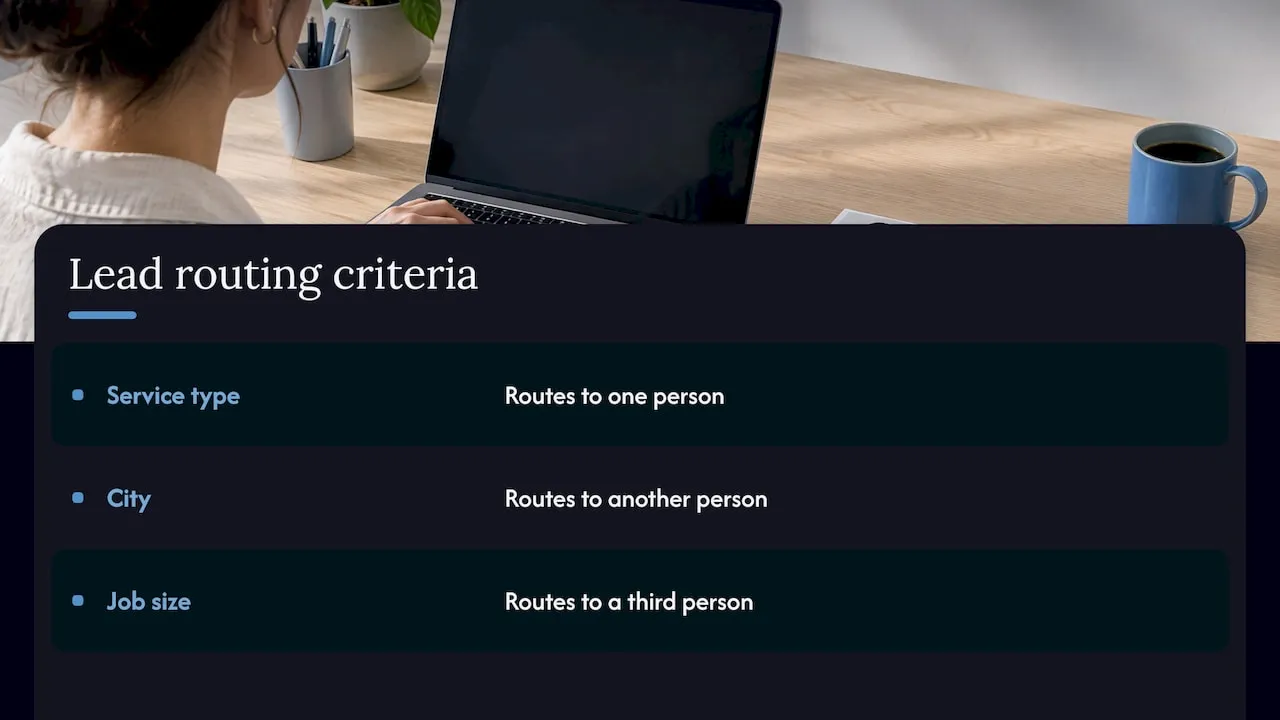
Decide in advance who handles what. Requests by service type go to one person, by city to another, by size of job to a third. Routing rules send each lead to the right owner and alert them. Without it, leads sit in a shared inbox where everyone assumes someone else has them.
3. Follow-up reminders and sequences
Most jobs are not won on the first message. A short sequence of follow-ups, such as a text or email after one day, three days and a week, keeps your business in front of people who are still deciding. The sequence stops the moment the person replies or books.
4. Appointment confirmations and reminders
No-shows cost real money for any appointment-based business. Automatic confirmations and reminders cost almost nothing to run and take a task off the front desk.
5. Review requests after the job
After a completed job or visit, the system asks the customer for a review with a direct link. Steady new reviews support your Google Business Profile and your local search visibility.
6. Internal handoffs
When a lead becomes a customer, the next team member should be told. A sold project triggers a task for scheduling. A closed listing triggers a thank-you and a request for a referral. These are small steps that stop information from living in one person’s head.
What to keep human
Automate the routine, not the relationship. Keep a person on:
- Pricing negotiations and custom quotes.
- Complaints and anything emotional.
- Medical, legal or financial questions where a wrong answer causes harm. A healthcare or legal office should have its own licensed staff review what the system says before it goes live.
- Final decisions on who gets a callback when two leads compete.
A good setup makes your people faster at these conversations by handing them a clean summary, not by replacing them.
The website comes first
Automation depends on what comes in. If your contact form asks for a name and a message and nothing else, the system cannot tell a $40,000 project from a casual question. If the website loads slowly on a phone, many visitors leave before they ever fill out the form. If the form does not connect to anything, the lead lands in an inbox and nothing else happens.
That is why we build the website and the follow-up system together. A site built for conversion asks for the details that make routing possible: service needed, city, timeline, how the person prefers to be contacted. Those answers feed the rules. Our sites are fully custom-coded rather than built on templates or page builders, so the forms and pages are designed around how your business actually sorts leads.
If you are deciding between rebuilding your site and adding automation to the one you have, read how AI sales automation for small service businesses is sequenced. If your current site is the bottleneck, a custom web design project fixes the source of the problem.
A worked example: a Palm Beach County home services company
This is an illustration of the method, not a client case. Picture a home services company with six employees that gets about 80 online inquiries a month. Today, the owner reads each one when she has time, usually in the evening. About one in five gets no reply for two days.
The steps:
- Week 1. Map the path. Where do inquiries come from: the website form, Google Business Profile messages, phone calls, Facebook? Who sees each one? Write it down.
- Week 2. Fix the form. Add service type, city and timeline fields. Connect it to a single place where every lead is stored.
- Week 3. Turn on instant replies and routing. Estimators in the north county get northern leads. Emergency requests trigger a text to the on-call person.
- Week 4. Add a three-step follow-up sequence and a review request after each completed job.
- Month 2. Check the numbers. How many leads got a reply within the hour? How many became booked jobs? Adjust the wording and the rules.
Nothing here is complicated. It is the same work the owner already does, written down and run by the system every time.
Speed matters in this kind of setup.
Choosing a provider in Florida
Search results for this topic are crowded with listicles, software directories and general consulting firms. Here is how to sort them as a business owner.
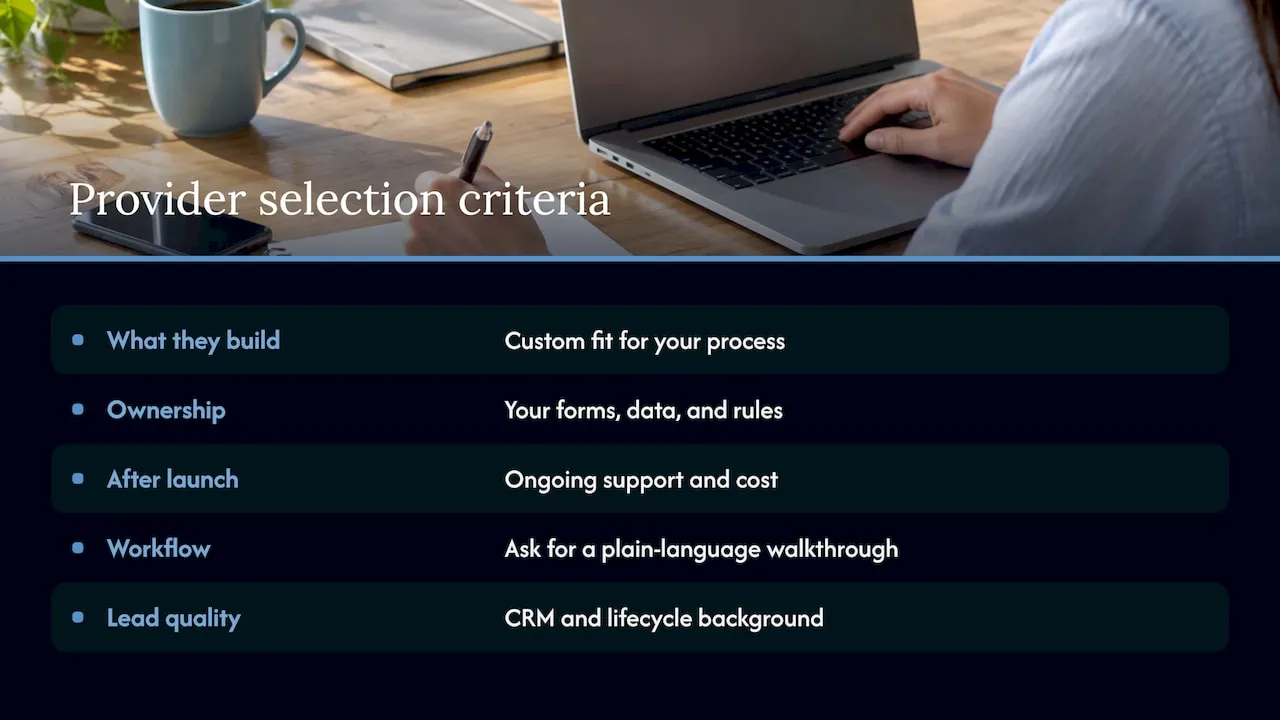
Ask what they build, not what they resell. Some providers connect a few off-the-shelf tools and call it a system. That can work for very simple needs. A custom build fits your actual process, so you are not bending your business to fit someone else’s software.
Ask who owns the result. Your forms, your lead data and your follow-up rules should belong to your business. You should be able to see what is running and why.
Ask what happens after launch. Automation needs adjustment as your services, staff and seasons change. Ask about ongoing support and what it costs.
Ask to see a real workflow, not a demo. A provider should be able to describe how a lead moves through a system in plain terms. If the explanation needs a glossary, the project will be hard to manage.
Pick a team that understands lead quality. Fast replies to the wrong people waste time. Look for a provider with a background in CRM and lifecycle marketing, where the work is deciding who gets which message and when.
Local knowledge helps too. We publish pages for owners in Delray Beach, Boca Raton, West Palm Beach, Fort Lauderdale and Miami that cover how automation applies in each market.
Using AI for content without losing your voice
Many owners start with AI for marketing content because it is the easiest tool to try. Drafting social posts, summarizing reviews or trimming a video for a listing can save an evening. If you work with video, a guide to AI video editing tools shows what that category can do. Keep one rule: a person reads everything before it goes out under your name. Content tools help with output. They do not fix a lead path that loses inquiries, which is why the workflow comes first.
Perspective
After years of building lifecycle and CRM systems for large consumer brands, the pattern we see most is that the technology is rarely the problem. The problem is that nobody decided what should happen after a lead arrives.
Small service businesses lose revenue in that gap. A form that goes to one person’s inbox, a reply that depends on who is in the office, a follow-up that happens only when someone remembers. Those are process problems, and they are cheaper to fix than most owners expect.
This is why we build the site and the system together. A custom-coded website that asks the right questions, connected to rules that route and answer each lead, gives you something a template and a few plug-ins do not: a process that matches how your business actually works.
Start small. One workflow, measured for a month. Then the next.
Jeremy
How Forefront can help
Forefront Industries is a Delray Beach web design studio. We build custom websites, engineer CRM and email systems, and set up AI workflow automation for service businesses across South Florida. That includes lead routing, internal workflow automation and lifecycle journeys that follow up with each lead.
See the details on our AI automation service page or browse everything we offer under our services. After launch, our website maintenance plans keep the site fast and secure: Managed Hosting is $99 per month, Webmaster is $250 per month and Performance Plus is $750 per month.
Questions Florida owners ask
How much does AI workflow automation cost?
It depends on how many workflows you automate and how they connect to your website and customer records. We do not publish a price for automation projects, because the scope differs for every business. The free website audit is the quickest way to see what your setup needs.
Will AI replace my front desk or sales staff?
No. Automation takes over the repeat steps, such as confirmations, reminders and routing. Your people spend their time on conversations, quotes and relationships. A good setup gives them cleaner information and more time for those.
Do I need a new website before I automate?
Not always, but the website is where most leads begin. If your forms are thin, slow or not connected to anything, the automation has little to work with. We review the site first and tell you whether it needs a rebuild or a few changes.
What should I automate first?
Start with replying to every new inquiry right away and routing it to the right person. Add follow-up reminders next, then review requests. These steps are simple, easy to measure and tied directly to revenue.
Is this only for large businesses?
No. Small teams benefit most because they have the fewest spare hours. Roofers, med spas, real estate agents, law offices and contractors across Florida all follow the same pattern: leads arrive, and someone has to respond.
Sources
Want to know where your website loses leads? Request your free website audit and we will show you what to fix first.