Workflow Orchestration: A Plain-English Guide for Business Owners

Workflow orchestration is one system that coordinates every step of a business process, across your software and your people, in the right order. A new lead fills out a form, gets a reply, lands with the right person, gets a reminder if nobody responds, and shows up in your reports. Orchestration is what makes those steps work as one process instead of five separate tools. For a service business in Delray Beach, Boca Raton or Miami, it is usually the difference between leads that get handled and leads that quietly disappear.
TL;DR
- Workflow orchestration coordinates a whole process end to end. Automation handles one task inside it.
- Most service businesses already have the pieces: a website, a form, an inbox, a calendar, a CRM. Orchestration connects them and tells each one what happens next.
- The best first target is lead follow-up. It is easy to measure and it is where most small businesses lose money.
- You do not need to replace your software. You need a clear map of the steps and an owner for each one.
- Start with one process, run it for a month, then add the next.
Table of Contents
- What workflow orchestration means
- Workflow orchestration vs. workflow automation
- Signs your business needs it
- What the parts look like in a service business
- A worked example: a lead from website to booked call
- Where approvals and people fit
- Benefits you can expect
- How to start, step by step
- Why your website is the starting point
- Our perspective
- How we help
- Where this is heading
- Common mistakes
- FAQ
- Sources
What workflow orchestration means
A workflow is a repeatable set of steps that gets a piece of work done. Booking a consultation is a workflow. So is onboarding a new client, sending a quote, or collecting a review.
Orchestration is the coordination of those steps. IBM describes it as coordinating multiple automated tasks across business applications and services so that they follow a logical sequence and work together toward an end-to-end business process. TechTarget puts it as software managing multiple automated tasks based on schedules, dependencies and other factors.
In plain terms: something has to know what comes first, what comes next, who is responsible, and what to do when a step fails. That something is the orchestration layer.
A simple picture helps. Think of a front desk at a busy practice. The person at the desk does not just answer the phone. They check the calendar, pull the file, tell the provider the patient is here, and follow up when someone no-shows. Orchestration is that front desk role, built into your systems.

Workflow orchestration vs. workflow automation
These two terms get mixed up. The difference is scope.
| Automation | Orchestration | |
|---|---|---|
| Scope | One task | A full process with many tasks |
| Example | Send a confirmation email when a form is submitted | Handle the lead from form submission to signed contract |
| Involves people? | Rarely | Yes, with handoffs, approvals and reminders |
| When something fails | Often unnoticed | Flagged, rerouted or retried |
| Who sees the whole picture | Nobody | One process view |
CIO magazine frames it as “one” versus “many”: automation runs a single repetitive task on its own, while orchestration coordinates multiple tasks as part of a larger workflow involving different services and people.
Here is why that matters to you. Suppose you have an automatic email that goes out after every form submission. That is automation. But if the form submission never reaches your CRM, or the right salesperson never gets notified, or nobody calls when the lead replies, the email did not help. Automation without coordination leaves gaps between the tasks. Orchestration closes those gaps.
Signs your business needs it
You likely do not need a new tool. You need coordination if any of these sound familiar:
- Leads sit untouched. Form submissions land in an inbox that one person checks when they can.
- Information gets retyped. Someone copies details from an email into a spreadsheet, then into a CRM.
- Nobody knows the status. You ask where a lead or job stands and get three different answers.
- Follow-up depends on memory. Reminders live in someone’s head or on sticky notes.
- Things break quietly. A form stops sending, a calendar link stops working, and you find out weeks later.
- Your tools do not talk. The website, the phone system, the email platform and the CRM each hold part of the story.
Research on why companies adopt orchestration points the same way. The Forbes Technology Council notes that the growing number of software applications creates complexity, and that many companies want more return from the systems they already own. Small businesses feel the same pressure at a smaller scale.
What the parts look like in a service business
An orchestrated process has a few parts. TechTarget lists the working steps: map each step, work out the connections and dependencies, define the order, triggers and conditions, and monitor execution. Here is that in business terms.
1. A map of the steps
Write down what happens from first contact to finished job. Keep it to the real steps, not the ideal ones.
2. Triggers
A trigger is the event that starts a step. A form submission, a missed call, a booked appointment, a paid invoice.
3. Rules
Rules decide what happens next. A roofing lead in Fort Lauderdale goes to one estimator. A lead asking for an emergency visit gets a text in under a minute. A lead from an old client goes to the owner.
4. Handoffs to people
Some steps need a human: approving a quote, calling a high-value lead, signing off on a schedule. A good process pauses at that point, tells the right person, and reminds them if nothing happens.
5. Monitoring
You need to see what is stuck. Industry guides describe this as end-to-end visibility. For you it means a single view of every open lead and what is next for each.
6. Error handling
When a step fails, something should notice and respond. A failed form delivery should alert someone, not vanish.
A worked example: a lead from website to booked call
Here is one process as a service business might run it. This is an illustration of the pattern, not a result from any client.
- A visitor submits the quote form on your website.
- The lead is saved in your CRM with the source, the service requested and the city.
- A rule assigns it to the right person based on service type or location.
- The lead gets a text and an email within minutes with a booking link.
- The assigned person gets an alert with the lead details.
- If the lead has not booked in 24 hours, a second message goes out.
- If the assigned person has not made contact in a set time, the owner gets a notice.
- Once a call is booked, the lead moves to the next stage and reminders start.
- After the job, a review request goes out.
Every one of these steps could be done by hand. Orchestration means they happen in order, with nobody forgetting, and with a record of what happened.
Where approvals and people fit
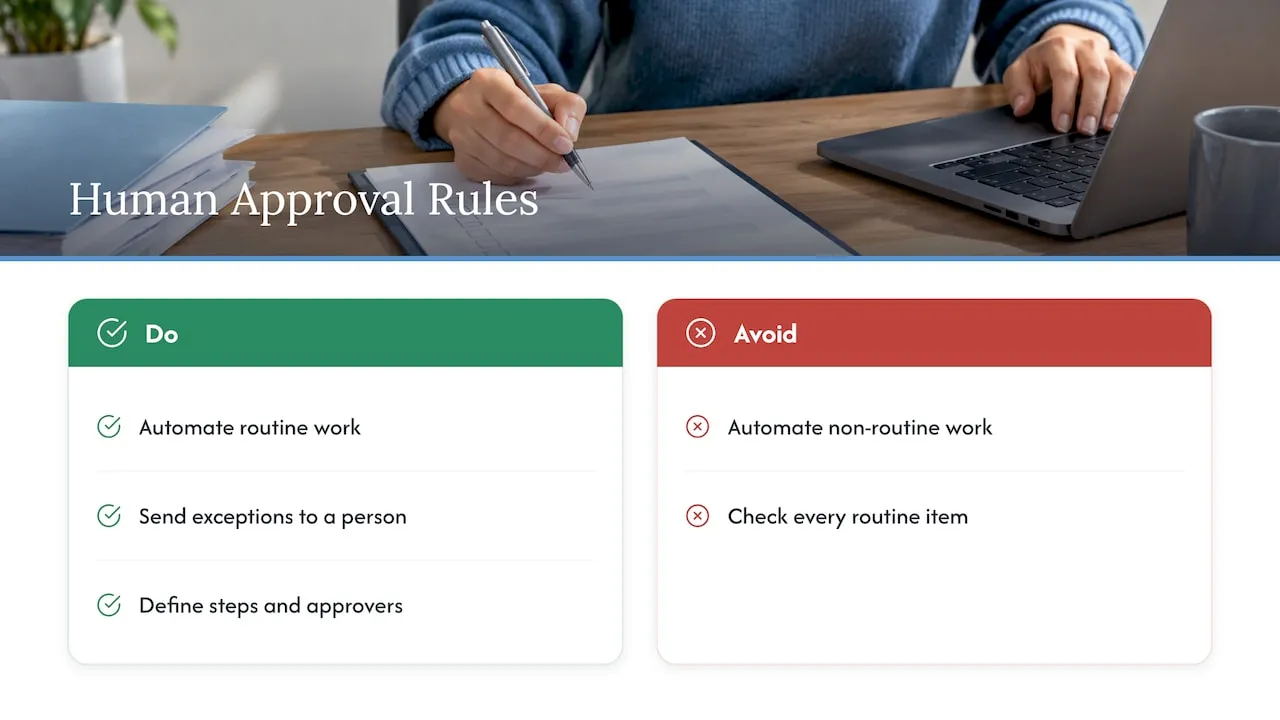
Not everything should be automatic. Quotes, schedules, refunds and contracts often need a person to look before they go out. The good approach is to automate the routine and send only the exceptions to a human. One example of this approach is a schedule approval workflow, where managers review only what needs attention instead of checking everything.
The same idea applies to quotes. If you run an agency or consultancy, the path from inquiry to scoped proposal is a workflow of its own. Tools such as proposal software for agencies show how scoping, pricing and client-ready documents can follow one connected path. The principle is the same either way: define the steps, define who approves, and let routine work move on its own.
Benefits you can expect
The general benefits are well documented. TechTarget lists better communication, lower costs from less manual work, lighter workloads for staff, fewer errors, and easier scaling.
For a service business, that translates into five practical gains:
- Faster response. Leads get a reply while they are still looking at your site and your competitors’ sites.
- Fewer dropped leads. Every inquiry has an owner and a deadline.
- Less retyping. Data moves once, so there are fewer typos and wrong phone numbers.
- Clearer reporting. You can see which sources bring leads that turn into jobs.
- Less owner involvement. You step in only when something needs a decision.
Be careful with big statistics you see online. Large percentage improvements usually come from enterprise deployments and do not predict what a ten-person business will see. Measure your own numbers: response time, leads contacted, leads booked, jobs won.
How to start, step by step
You can begin without buying anything.
- Pick one process. Lead follow-up is the best first choice. It touches revenue directly.
- Write the steps. Use a sheet of paper. Include who does each step and how long it takes now.
- Mark the gaps. Circle every place where information is retyped, where a person has to remember, or where a lead can wait.
- Set the rules. Decide who gets which lead, how fast to respond, and when to escalate.
- Connect the tools. Your website form, CRM, email, text messaging and calendar should pass information along without manual copying.
- Add monitoring. Decide what you will check weekly: leads received, time to first contact, leads booked.
- Run it for 30 days. Fix what breaks. Then pick the next process.
One warning. Do not try to orchestrate everything at once. Teams that do end up with a complicated setup nobody trusts. One process that works is worth more than ten that half work.
Why your website is the starting point
The website is where most of your leads begin. If the form is slow, confusing or poorly connected, the rest of the process starts on a bad footing. Common problems we see on service business sites:
- Forms that send to a general inbox instead of a CRM.
- No confirmation or follow-up message after submission.
- No source tracking, so you cannot tell which pages or Google Business Profile visits produce leads.
- Different forms on different pages, each going somewhere else.
- Slow pages on phones, where most local searches happen.
Fixing these is the base of any orchestration effort. A custom-built site can send every lead into the same process, with the same data, every time.
Our perspective
Most small business owners tell us the same thing: the website looks fine, but leads are slipping. When we look, the problem is rarely the design. It is the gap between the form and the follow-up.
We build websites and the systems behind them as one job. Our founder spent years building lifecycle and CRM systems at Amazon, Verizon and American Express. That work taught one lesson that applies at any size: a lead is only worth something if the next step happens on time, every time.
That is why we do not use templates or page builders. We write custom code, so the form, the CRM, the email and the routing rules fit how your business actually works. A Delray Beach contractor and a Miami real estate agent do not follow up the same way, and their systems should not either.
Our advice: start with the lead path. Map it, connect it, and make sure someone is accountable for every step. Then add automation where it saves time.
Jeremy
How we help
Forefront Industries is a Delray Beach web design studio. We build custom-coded websites with conversion-focused design and SEO structure, set up CRM and email systems, and add AI workflow automation so leads move through your process without manual copying. Our services page covers web design and development, email and CRM development, and AI automation and consulting.

Once a site is live, it needs care. Our website maintenance plans start at $99 per month for Managed Hosting, $250 per month for Webmaster, and $750 per month for Performance Plus, so forms, pages and connections stay working.
Where this is heading
The software industry is moving toward consolidated platforms. According to Arion Research, Gartner replaced several separate vendor evaluations with a single one for business orchestration and automation technologies in October 2025. The same source reports that Gartner predicts 70 percent of enterprises will move to a consolidated automation platform by 2030.
For a small business, the takeaway is simple. Tools are converging, and AI is being added to decide routing and handle exceptions. That makes the basics matter more: clear steps, clean data, and one accountable owner. A business with a mapped lead process can adopt new tools easily. A business without one will just add more disconnected software.
Common mistakes
- Buying a tool first. Map the process, then pick the tool.
- Automating a bad process. If your follow-up is slow because nobody owns it, software will not fix that. Assign an owner.
- No fallback. Every automatic step needs a human backup for when it fails.
- Ignoring the website. Leads that arrive without source or service details cannot be routed well.
- Skipping measurement. Without a baseline response time, you cannot tell whether things improved.
FAQ
What is workflow orchestration in simple terms?
It is the coordination of every step in a business process, across your software and your people. It decides what happens next, who is notified, and what to do if something fails. IBM defines it as coordinating multiple automated tasks into an end-to-end process.
Is workflow orchestration the same as automation?
No. Automation handles a single task, such as sending a confirmation email. Orchestration coordinates the whole sequence, including handoffs to people and recovery when a step fails. Most businesses need both, with orchestration holding the pieces together.
Does a small business need workflow orchestration?
If leads, quotes or client onboarding involve more than one tool or more than one person, yes. You do not need an enterprise platform. You need a mapped process, connected tools and clear ownership. Lead follow-up is the usual place to begin.
What should I orchestrate first?
Start with lead follow-up. It affects revenue directly, the steps are easy to define, and results are easy to measure through response time and booked calls. Move to client onboarding and review requests after that.
Do I need to replace my current software?
Usually not. Orchestration connects the tools you already use. The Forbes Technology Council notes that orchestration tends to add to existing investments instead of requiring you to replace software.
Sources
- What is Workflow Orchestration? (IBM)
- What is workflow orchestration? (TechTarget)
- Limitations of automation orchestrators and the rise of automation optimization (CIO)
- Why Your Organization Should Consider Orchestration (Forbes Technology Council)
- Orchestrating the Hybrid Workforce, Part 2 (Arion Research)
- From 45 to 5 Minutes: Exceptions First Schedule Approval Workflow
- Best Proposal Software for Agencies and Freelancers
Want to see where your website loses leads? Request the free website audit at forefrontindustries.io/website-audit.