Real Estate Website Design: What Converts Visitors Into Clients

A good real estate website does three things. It shows live listings fast, it makes contacting you take one tap, and it sends every inquiry into a follow-up process that runs the same day. Looks matter, but they come last. An agent in Boca Raton or Miami with a plain site that answers inquiries in five minutes will beat a beautiful site that leaves leads sitting in an inbox.
This guide covers what to put on the site, how to lay out listing pages, what a custom site does that a template does not, how to pick a designer, and how to connect the site to your lead follow-up. We are a Delray Beach web design studio, so the examples lean toward South Florida agents.
TL;DR
- Most buyers start online. NAR’s 2024 buyer survey found 51% found the home they bought through an online search, and 69% used a mobile device or tablet.
- Put a contact option on every page: click-to-call, a short form, and a clear next step above the fold.
- Listing pages need big photos, key facts, a floor plan when you have one, and a form tied to that specific property.
- A custom-coded site gives you control over speed, layout and lead routing. A template limits all three.
- A site only pays off when each inquiry gets a fast reply. Plan the follow-up before you plan the design.
Table of Contents
- What a real estate website has to do
- Pages every agent website needs
- Listing page design
- Mobile and speed
- Custom vs. template real estate websites
- What real estate website design costs
- How to choose a real estate web designer
- Connect the site to lead follow-up
- Local search basics for agents
- Our perspective
- Work with a Delray Beach web design studio
- FAQ
- Sources
What a real estate website has to do
Your website has one job: turn a person who is browsing into a person who calls, texts or books a showing. Everything else is secondary.
Buyers and sellers arrive with different needs.
- Buyers want to search homes, see photos, and ask about a specific property.
- Sellers want proof you know their neighborhood and can sell their home for a good price.
- Both want to know you are a real person who answers.
The numbers show why the site matters. In the NAR report above, 43% of buyers started their search by looking at properties online. Photos on websites were rated very useful by 41% of buyers, detailed property information by 39%, and floor plans by 31%. Those three items tell you where to spend design effort: pictures, facts, and floor plans.
HousingWire’s guide to real estate website design makes a related point. The site should present you as a hyper-local market expert, and it should be easy to use before it is pretty. A design nobody can navigate does not generate leads.
Pages every agent website needs
Keep the structure simple. Each page should have one purpose and one next step.
Home page
The home page answers three questions in the first screen: who you are, where you work, and how to reach you.
- Your name, photo and market, for example “Boca Raton homes” or “Fort Lauderdale condos.”
- A search box or two clear buttons: “Search homes” and “What is my home worth?”
- Phone number in the top navigation, tappable on a phone.
- A short block of recent client reviews.
Realtor.com PRO reports the typical visitor stays about 53 seconds. It recommends placing the lead form above the fold on desktop and mobile and putting contact information in the top navigation. That gives you under a minute to make the next step obvious.
Neighborhood and market pages
These pages bring in local search traffic and show expertise. Write one page per area you actually work in. A West Palm Beach agent might have separate pages for Flamingo Park, El Cid and Northwood. Each page should include:
- A short description of the area written by you, not copied from a directory.
- Price ranges and the kinds of homes sold.
- Schools, commute, and what residents like.
- Your recent sales there, if you have them.
- One clear way to ask a question.
Generic pages that could describe any city do not help. Specific street names, building names and local details do.
Seller page and home valuation
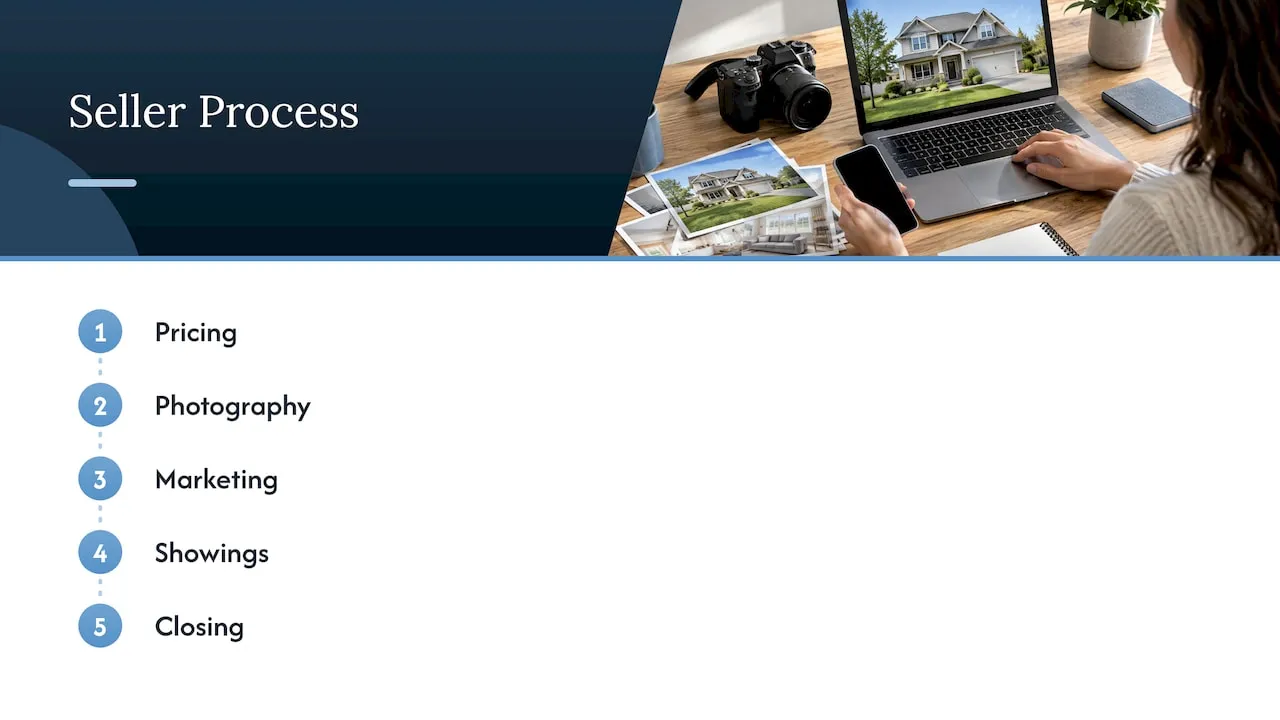
Sellers need a different page from buyers. Explain your process in plain steps: pricing, photography, marketing, showings, closing. Add a short valuation form that asks for an address and a phone number or email. Keep it to a few fields. Every extra field loses some people.
About page
People hire people. Show your face, your years in the business, your areas, and your real results. Add reviews from past clients with their first names and neighborhoods. Skip vague claims.
Contact page
Phone, text, email and a short form. Add your office address and service areas. Keep your name, address and phone number identical to your Google Business Profile, since mismatches confuse both visitors and search engines.
Listing page design
The listing page is where a visitor becomes a lead. A visitor looking at a house has already shown interest. Your job is to answer questions and offer a next step.
What to show, in order
- Photo gallery. Large images, swipeable on mobile. Show the best photo first.
- Price, address, beds, baths, square footage. Visible without scrolling.
- Contact options. “Schedule a tour” and “Ask a question” buttons that stay visible as the visitor scrolls.
- Description and features. Short paragraphs and a bulleted list of key features.
- Floor plan, video or virtual tour. Include them when you have them. Floor plans were valued by 31% of buyers in the NAR data.
- Map and neighborhood details. Schools, shopping, and distance to major roads.
- Mortgage estimate. A simple payment calculator keeps people on the page.
- Similar homes. A way to keep browsing without leaving your site.
Make the form specific
A generic “Contact us” form gets fewer responses than a form that matches what the visitor wants. Offer choices such as “I’d like to see this home,” “Is it still available?” and “Tell me about the neighborhood.” Pre-filled questions save the visitor typing on a small screen.
Use multiple calls to action
One button at the bottom of a long page is easy to miss. Place a contact option near the photos, near the price, and near the details. Each one should carry the property address so you know which home the lead asked about.
Keep forms short
Name, phone, email, and a message is plenty. If you require more, expect fewer leads. You can ask for budget and timeline in your first conversation.
Mobile and speed
Most of your visitors will be holding a phone. NAR’s 2024 report found that 69% of buyers used a mobile device or tablet to search online. That makes the phone version the main version, not an afterthought.
Check these on your own phone:
- Can you tap the phone number and call in one touch?
- Are buttons large enough to hit with a thumb?
- Do photos load quickly on cellular data?
- Does the search filter open and close without covering the results?
- Does the form fit on the screen without zooming?
Speed matters as much as layout. A page that takes several seconds to load loses people before they see a single photo. Large, uncompressed photos are the most common cause on real estate sites. A custom build can resize every image automatically and load photos only as the visitor scrolls to them.
Custom vs. template real estate websites
A template site is a pre-built design where you swap in your name, photo and colors. A custom site is designed and coded around your market and your process.
| Factor | Template or page builder | Custom-coded site |
|---|---|---|
| Starting cost | Lower up front | Higher up front |
| Launch time | Fast | Longer, since it is built to order |
| Layout control | Limited to the template’s options | Full control of every page |
| Page speed | Often slowed by unused features | Built to load only what the page needs |
| Lead routing | Fixed form options | Forms and rules matched to your process |
| Look | Many agents end up looking alike | Unique to you |
| Growth | Hard to change later | Pages and features added as you grow |
Templates are a reasonable first step for an agent just starting out. They get weaker once you want your site to do something specific: route buyer and seller inquiries to different follow-up, show a neighborhood page layout nobody else has, or load fast on every device.
The real estate market in Miami and Fort Lauderdale is crowded. Many agents run templates from the same few vendors, and their sites look nearly identical. A custom site helps you look like yourself.
Features worth building
Whether you go custom or not, these features earn their place:
- Live listing search connected to your MLS through IDX, so buyers search homes on your site instead of leaving for a big portal. Ask your MLS about its data rules, since each board sets its own display requirements.
- Saved searches and alerts so returning visitors get new listings by email.
- Lead capture on every page, not only the contact page.
- Neighborhood pages for each area you serve.
- Click-to-call and text buttons on mobile.
- Reviews from real clients.
- A blog or market update page you will actually keep current.
- Analytics that show which pages produce inquiries.
What real estate website design costs
Cost depends on whether you buy a template, a custom design, or a larger build with search and CRM connections. Build prices vary by scope, so we quote custom projects after a conversation about your market and goals rather than from a fixed menu.
Ongoing care has published prices. Our website maintenance plans are:
| Plan | Price |
|---|---|
| Managed Hosting | $99 per month |
| Webmaster | $250 per month |
| Performance Plus | $750 per month |
HousingWire’s guide notes that the price you pay for a website often reflects the quality you receive. Cheap sites tend to look cheap, load slowly, and bring few leads. One extra closed deal can cover the cost of a good site, so judge a site by the clients it brings, not just its price tag.
How to choose a real estate web designer
Ask these questions before you sign.
- Have they built sites for service businesses that depend on leads? Look at what the sites do, not only how they look.
- Is the site custom-coded or built from a template? Both can work. You should know which you are buying.
- Who owns the site and domain? You should. Get this in writing.
- How will listings appear on the site? Ask how IDX will work with your MLS and who handles setup.
- What happens to a lead after the form is sent? A good designer asks about your follow-up process.
- Who maintains the site after launch? Updates, hosting and fixes should have a named owner and a price.
- How will you see results? You should get clear numbers: visits, inquiries and which pages produced them.
- Will they talk about your local market? A designer who asks about Delray Beach versus Palm Beach Gardens understands local search.
Be cautious of any designer who talks only about colors and fonts. Design is the visible part. Structure, speed and follow-up are where the leads come from.
Connect the site to lead follow-up
A website that collects inquiries and then lets them sit has wasted its job. The first agent to reply often wins the client, so build a path from the form to your phone.
A basic setup looks like this:
- A visitor submits a form on a listing page.
- You receive a text and an email within seconds, with the property address and the visitor’s question.
- The visitor gets an automatic confirmation that says when to expect a reply.
- The lead is added to your contact list, tagged as buyer or seller.
- If you have not replied within a set time, a reminder goes to you.
- Over the next weeks, the lead gets a short series of useful emails, such as new listings in their price range.
This is the kind of work we do. Our founder spent years building email and customer lifecycle systems at large consumer brands, including Amazon, Verizon and American Express, as an employee. We bring that experience to small and mid-sized agents, with systems sized for one agent or a small team.
For a deeper look at the lead side, see how we approach email and CRM development.
Local search basics for agents
Your website and your Google Business Profile work together. Searchers in Boca Raton or Fort Lauderdale often see the map results before any website.
Start here:
- Claim and complete your Google Business Profile. Use your real business name, service areas and categories.
- Keep your name, address and phone number the same on your site and everywhere else.
- Ask happy clients for reviews and reply to them.
- Create a page for each city or neighborhood you serve, with real local detail.
- Make sure your site loads fast on mobile.
These steps cost little and compound over time.
Our perspective
Most agents we meet have the same problem. They paid for a site that looks fine, and it does not bring in clients. The leads that do arrive get answered late, or not at all.
We build the site and the follow-up together. Every page has one job. Every form goes somewhere. Every inquiry triggers a reply process, so nothing waits for you to remember it.
We write custom code rather than starting from a template. That gives us control over page speed, layout and lead routing, which are the parts that decide whether a visitor turns into a client. It is also why we can adapt a site as your business changes.
Our background is in enterprise email and CRM systems. We apply the same discipline to an agent’s website: clear structure, tested forms and a follow-up process that runs the same way every time.
Jeremy
Work with a Delray Beach web design studio
Forefront Industries is a Delray Beach web design studio that builds custom-coded websites for service businesses, including real estate agents. We design the pages, build the lead forms, and connect them to email and CRM follow-up. After launch, our maintenance plans keep the site fast and current.

Explore our web design and development services to see what a custom build includes, or see the website maintenance plans if you already have a site that needs care.
FAQ
How much should a real estate agent spend on a website?
The right amount depends on how much business the site needs to produce. A template costs less up front but limits what the site can do. A custom site costs more and gives you control over layout, speed and lead handling. Compare any quote against what one additional closed transaction is worth to you.
Do I need IDX on my real estate website?
If you want buyers to search homes on your site, yes. IDX displays MLS listings on your own pages, so visitors stay with you instead of moving to a large portal. Each MLS has its own display rules, so confirm them with your board before launch.
How many pages does an agent website need?
Start with a home page, a buyer page, a seller page with a valuation form, an about page, a contact page, and one page for each neighborhood you serve. Add listing pages and market updates over time. More pages help only when each one has useful, local content.
Why is my real estate website not getting leads?
The usual causes are slow mobile pages, no visible contact option, long forms, thin neighborhood content, and slow replies. Check your site on a phone first. Then look at how fast you answer the inquiries you already get.
Sources
- NAR 2024 Profile of Home Buyers and Sellers: Highlights
- HousingWire: The Best Real Estate Website Designs
- Realtor.com PRO: How to optimize your real estate website for lead conversion
Not sure what your current site is missing? Request a free website audit at forefrontindustries.io/website-audit and we will show you where visitors drop off and what to fix first.