AI Data Enrichment for Decision-Makers: A 2026 Deployment Guide

AI data enrichment uses machine learning and large language models to append, infer, and correct attributes so operational systems and predictive models run on complete, actionable records. It resolves duplicate entities, fills firmographic gaps, and flags confidence scores on every field it touches.
The verdict: teams with high-volume CRM data, thin lead profiles, or ML models starved for signal benefit fastest. If your sales team spends hours manually researching prospects, or your fraud model underperforms because half the input fields are blank, this solution is worth deploying now. If your data volume is small and static, the cost of enrichment tooling may outweigh the return.
Four use cases deliver the fastest payoff:
- CRM routing - enriched firmographics let lead-scoring rules assign the right rep automatically.
- Personalization - inferred persona and intent tags sharpen email and web messaging.
- ML feature engineering - enrichment fills feature stores with derived, model-ready attributes.
- Fraud and risk signals - contextual enrichment (device, geo, network attributes) catches anomalies rules-based systems miss.
IBM defines data enrichment as the technique of improving data quality and usability by appending external or inferred attributes to existing records. That’s the foundation. What’s changed in the last two years is how much of that appending and inferring is now done by models rather than static lookup tables.
Key Takeaways
AI data enrichment works because it pairs external data lookups with model-based inference and confidence scoring, turning incomplete records into decision-ready data.
| Point | Details |
|---|---|
| Definition matters | AI data enrichment appends, infers, and scores attributes, distinct from static lookup-only enrichment. |
| Fastest ROI use cases | CRM routing, personalization, ML feature stores, and fraud signals deliver the quickest measurable payoff. |
| Confidence scoring is non-optional | Every appended or inferred field needs a trust score before it writes back to production systems. |
| Enrichment differs from augmentation | Enrichment adds real-world attributes; augmentation synthesizes new training examples for sparse datasets. |
| Match tool to system complexity | Point tools like Clay, ZoomInfo, Apollo, Snov.io, Clearbit, and Dynamics 365 fit single-system needs; multi-system orchestration often needs a custom integrator like Forefront Industries. |
Table of Contents
- What Is AI Data Enrichment, Exactly?
- What Are the Business Benefits of Data Enrichment?
- Where Does AI Data Enrichment Deliver the Most Value?
- How Does AI Data Enrichment Work Technically?
- Data Enrichment vs. Data Augmentation: What’s the Difference?
- What Are the Best AI Data Enrichment Tools in 2026?
- How Do You Evaluate and Choose an Enrichment Tool?
- What Are the Risks of AI Data Enrichment?
- How Do You Integrate Enrichment Into Production Systems?
- When Should You Hire a Custom Integrator Instead of a Point Tool?
- Where Custom Integration Beats an Off-the-Shelf Tool
- Frequently Asked Questions
- Sources
What Is AI Data Enrichment, Exactly?
Traditional data enrichment matched your records against a third-party database and appended whatever it found: a company’s employee count, a contact’s job title. AI data enrichment does that too, but adds a second layer: models that infer attributes no external database has on file, and that assign a confidence score to every value they produce.
The distinction matters technically. A lookup finds a fact. An inference model estimates one, based on patterns across similar records, and tells you how sure it is. Clay’s approach to AI data enrichment leans heavily on this second layer, using large language models to fill fields that no database vendor ever directly observed.
Picture the pipeline as five boxes in sequence: raw records flow into an ingestion stage, which normalizes formats and de-duplicates. From there, identity resolution matches records to real-world entities, often across email, domain, and phone signals. The inference and enrichment stage appends or predicts attributes. A scoring layer assigns confidence to each new value. Finally, a writeback stage pushes approved fields into your CRM, warehouse, or feature store.
Common enrichment outputs include:
- Firmographics (industry, headcount, revenue band)
- Technographics (tech stack, integrations in use)
- Inferred persona or buyer role
- Intent signals and topic-level engagement tags
- Derived metrics like account health scores or churn probability
What Are the Business Benefits of Data Enrichment?
The business case rests on five pillars: accuracy, coverage, speed to insight, automation, and ML readiness. Each shows up as a measurable shift, not just a qualitative improvement.
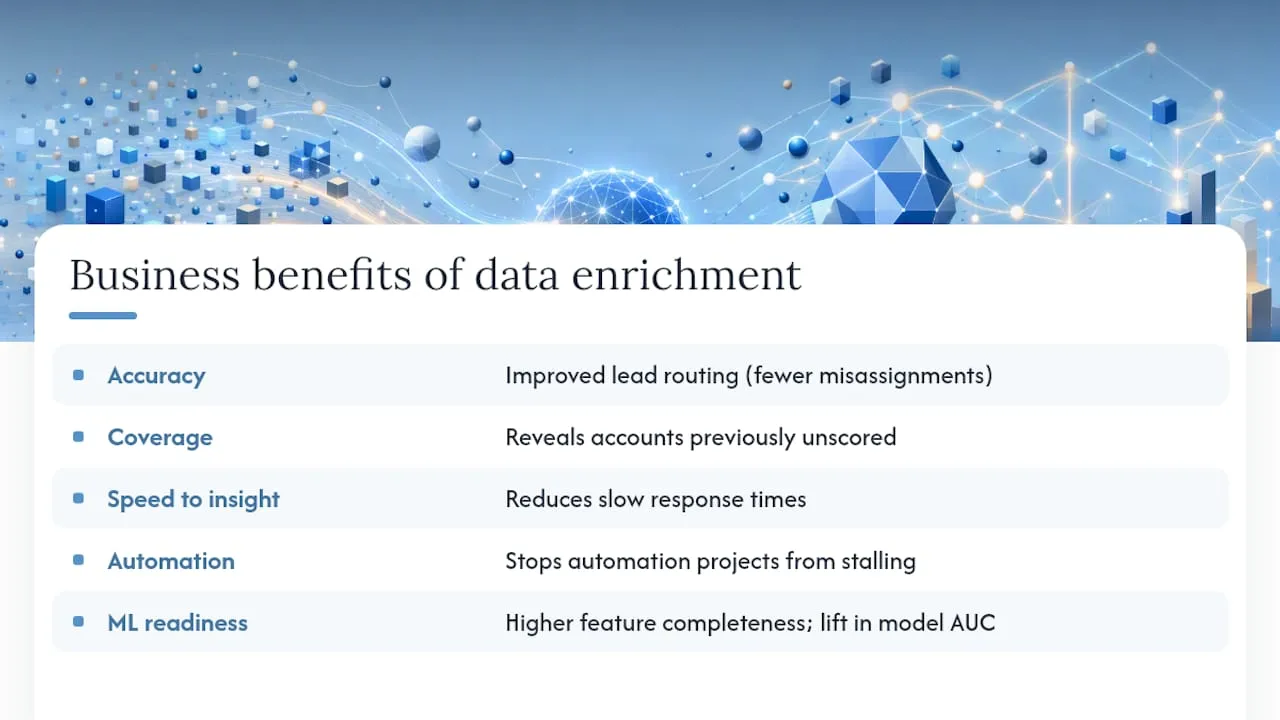
Accuracy gains show up fastest in lead routing. When firmographic fields are complete, routing rules stop misassigning enterprise leads to SMB reps, a common cause of slow response times. Coverage gains show up in total addressable market visibility: enrichment often reveals accounts your team never scored because key fields were empty.
HubSpot’s research found that many CRM users say their data isn’t ready for AI or ML initiatives, which is the single biggest reason automation projects stall before they start. Enrichment directly targets that gap by filling the fields those models depend on.
On the ML side, improved feature completeness generally enhances model performance compared to models with more blank fields. Track these signals first: percentage of records with complete core fields, manual research hours reclaimed, and lift in model AUC after enrichment goes live. Those three numbers tell you whether the investment is paying off within the first quarter.
Where Does AI Data Enrichment Deliver the Most Value?
Enrichment shows up differently depending on the domain, but the pattern is consistent: it replaces manual lookup with automated, confidence-scored data.
- B2B sales and marketing - enriched firmographics and intent data sharpen account scoring and outbound targeting.
- Product and analytics teams - usage and technographic data enrich customer health scores.
- ML feature stores - enrichment populates model-ready features at scale, on a schedule.
- Fraud and risk - contextual enrichment (IP reputation, device fingerprinting) strengthens real-time decisioning.
- Supply chain and IoT - sensor and location enrichment improves demand forecasting.
- Healthcare - enrichment of claims or intake data works, but only within strict privacy and consent boundaries; PII minimization isn’t optional here.
Three examples make the pattern concrete. A mid-market SaaS company enriches inbound leads with firmographic and technographic data, cutting manual qualification time and improving sales-accepted-lead rates. A fraud team enriches transaction records with device and behavioral signals in real time, catching account-takeover attempts that rule-based filters miss. A logistics operator enriches shipment records with weather and traffic data, improving delivery-time predictions.
Batch enrichment fits well when latency tolerance is measured in hours, like nightly CRM hygiene runs. Streaming enrichment is worth the added complexity only when a decision has to happen in milliseconds, as in fraud scoring or real-time personalization.
How Does AI Data Enrichment Work Technically?
The pipeline runs in a consistent sequence, regardless of vendor:
- Ingest and normalize raw records from CRMs, forms, or event streams, standardizing formats and encoding.
- Resolve entities, matching records across sources using fuzzy matching and probabilistic identity resolution.
- Append or infer attributes, pulling from external databases or running LLM-based extraction and classification on unstructured text.
- Score confidence on every new or corrected field, so downstream systems know which values to trust.
- Write back and log lineage, pushing approved fields into operational systems while recording where each value came from.
The techniques underneath vary by task. Fuzzy matching and probabilistic entity resolution handle deduplication. LLM extraction handles unstructured inputs, like pulling a job title out of a LinkedIn bio. Knowledge graphs map relationships between entities, useful for account hierarchies. Airbyte’s overview of enrichment patterns covers knowledge-graph and streaming approaches in more depth, both increasingly common in production pipelines.
Pro Tip: Track confidence scores over time, not just at write time. Back-test enriched fields against ground truth quarterly, and set alerting thresholds for confidence drops.
Most teams run enrichment in the data warehouse (Snowflake, BigQuery) rather than directly against production systems, then push curated fields to feature stores or back to the CRM through reverse ETL tools. Streaming enrichment typically runs on stream processors like Kafka or Flink for use cases where waiting for a batch job isn’t an option.
Data Enrichment vs. Data Augmentation: What’s the Difference?
These two terms get conflated constantly, and the confusion causes real budget mistakes.
Data enrichment appends real-world attributes to existing records, filling gaps with facts or model-based inferences about entities that actually exist. Data augmentation generates new synthetic data points, usually to balance training sets or increase diversity when real examples are scarce.
Use enrichment when your problem is incomplete records about real customers, accounts, or transactions. Use augmentation when your problem is a training set that’s too small or too imbalanced for a model to learn from reliably. A CRM with blank job-title fields needs enrichment. A fraud model with too few historical fraud examples to train on might need augmentation instead, using conditional generative frameworks that synthesize plausible minority-class examples. Broader surveys of augmentation methods confirm the same point: augmentation manufactures training diversity, it doesn’t repair records about real entities.
What Are the Best AI Data Enrichment Tools in 2026?
Six platforms dominate the conversation right now, each built for a different shape of buyer. The right pick depends less on brand recognition and more on whether your priority is CRM depth, contact volume, outreach automation, budget, technographic detail, or native platform integration.
| Tool | Best for | Data coverage & freshness | Integrations | Delivery | Privacy/transparency | Pricing model | Scalability/SLA |
|---|---|---|---|---|---|---|---|
| Clay | Pipeline-friendly contact/profile enrichment with CRM syncs | ML-inferred plus sourced data, updated continuously | Native CRM syncs, Slack, Zapier | API, UI, workflow automation | Sourcing disclosed per data provider | Usage-based credits | Scales with mid-market workflows |
| ZoomInfo | Broad company/contact coverage for sales and marketing | Large proprietary contact database, refreshed regularly | CRM and marketing automation integrations | UI, API, batch exports | Vendor-managed sourcing | Seat and credit-based licensing | Built for enterprise volume |
| Apollo | SMB and mid-market outbound prospecting | Combined contact database with enrichment on demand | CRM integrations, email sequencing tools | UI, API | Vendor-managed sourcing | Tiered subscription | Suited to SMB and mid-market scale |
| Snov.io | Budget-friendly enrichment and contact discovery | Contact-level data, refreshed periodically | Basic CRM and email tool integrations | UI, API | Vendor-managed sourcing | Low-cost tiered plans | Built for small teams |
| Clearbit | Firmographic and technographic enrichment for marketing/product | Firmographic and tech-stack data, refreshed regularly | Marketing automation and CDP integrations | API, UI | Vendor-managed sourcing | Usage-based/tiered | Scales with product-led motions |
| Microsoft Dynamics 365 (AI-powered Data Enrichment) | Enterprises standardized on Dynamics 365 | Native opportunity and account enrichment, continuously updated | Native to Dynamics 365, Power Platform | In-platform automation | Governed within Microsoft’s enterprise compliance framework | Included in Dynamics 365 licensing tiers | Enterprise-grade governance and scale |
Each tool earns its spot for a specific job. Clay stands out for teams that want enrichment woven directly into CRM workflows, with ML-driven inference filling gaps that static databases can’t. ZoomInfo remains the default when raw contact and company coverage at scale is the priority, particularly for larger sales orgs running high-volume outbound. Apollo pairs enrichment with outreach sequencing, which suits SMB teams that want prospecting and data hygiene in one tool rather than two. Snov.io serves teams watching every dollar, trading some depth of coverage for a materially lower price point. Clearbit leans into firmographic and technographic detail, useful for product-led companies scoring signups rather than cold leads. Microsoft’s Dynamics 365 enrichment feature maintains accurate, complete opportunity data through automation embedded directly in the CRM, which matters most for enterprises that already run their pipeline on Dynamics and want one less system to govern.
Pro Tip: Before committing to a vendor contract, run a small proof of concept against 500 to 1,000 real records from your own database. Compare match rates and confidence scores across two tools, not just feature lists. Vendor demos rarely reveal how a tool handles your specific data’s messiness.
How Do You Evaluate and Choose an Enrichment Tool?
Run this checklist before any vendor conversation goes further than a demo:
- Does the vendor disclose where enriched data comes from, field by field?
- Does every appended or inferred value carry a confidence score?
- What’s the refresh cadence for core fields, and does it match your business’s pace of change?
- Can it integrate natively with your CRM and warehouse, or does it require custom middleware?
- What SLA guarantees exist for uptime, error rates, and support response?
- What’s the actual cost at your expected volume, not just the entry-tier price?
Ask vendors directly about data sourcing, lineage documentation, and how they handle disputed or stale records. Request their published error rate or match-rate benchmarks, and ask what happens when a field can’t be confidently resolved.
Certain answers should end the conversation. Walk away if a vendor can’t explain where a specific attribute came from, if enriched values carry no confidence indicator at all, or if the only integration path is a manual CSV export. Opaque sourcing and unscored inference are the two most common ways enrichment quietly corrupts a CRM over time.
What Are the Risks of AI Data Enrichment?
Enrichment introduces its own failure modes if left unmanaged.
- Bias and representational harm - models trained on skewed source data can systematically under- or mis-score certain industries, regions, or demographics.
- PII leakage - enrichment that pulls personal data from public or semi-public sources can violate consent boundaries, especially across jurisdictions.
- API cost and rate limits - re-enriching the same records repeatedly burns budget fast if caching isn’t enforced.
- Schema drift and stale fields - source databases change their schemas, and enriched fields quietly go stale without anyone noticing.
Governance controls that actually work: sample a percentage of enriched records for human review before bulk writeback, version every enrichment run so you can trace lineage, and set a hard confidence threshold below which a field never auto-writes. Integrate recommends running enrichment post-load in the warehouse specifically to control PII exposure and cache results, limiting how often the same record gets re-processed.
Pro Tip: Set up drift monitoring using population stability index or KL divergence checks on your enriched fields, not just your model outputs. A quiet shift in a vendor’s underlying data can silently degrade routing or scoring accuracy weeks before anyone notices in the numbers.
How Do You Integrate Enrichment Into Production Systems?
Three integration patterns cover most production needs. Post-load warehouse enrichment runs enrichment after data lands in your warehouse, then pushes curated fields to operational systems via reverse ETL, the pattern most teams should default to for cost and governance reasons. In-flight streaming enrichment processes records as they arrive, necessary only when a decision (fraud scoring, real-time personalization) can’t wait for a batch cycle. Edge or embedded enrichment runs inference directly in client applications, useful for latency-sensitive consumer experiences.
Before moving from pilot to production, work through this checklist:
- Define your minimum data set: which fields must be enriched before a record is usable downstream.
- Set a refresh schedule matched to how fast each field type actually changes.
- Set confidence thresholds for auto-writeback versus human review.
- Document writeback policies: which systems get which fields, and in what order.
- Build a rollback plan for when a bad enrichment batch needs to be reversed.
After launch, track latency, error rate, enrichment coverage percentage, and drift metrics weekly, not quarterly. Problems compound fast when they go unwatched.
How Were These Tools and Patterns Selected for This 2026 Snapshot?
This snapshot draws on vendor documentation, published product changelogs, and current market positioning as of 2026. Selection criteria prioritized breadth of enrichment capability, integration depth, and transparency of data sourcing. Vendor capabilities shift quickly; run your own short proof of concept before committing budget, since a feature list rarely captures how a tool performs against your specific data.
When Should You Hire a Custom Integrator Instead of a Point Tool?
Off-the-shelf tools cover single-system enrichment well. They fall short once you’re orchestrating enrichment across multiple CRMs, warehouses, and customer-facing apps with strict latency or multi-tenant requirements. That’s the threshold where a custom integrator earns its cost.
What internal teams should own: business logic, data ownership decisions, and confidence-threshold policy. What an integrator delivers: data contracts between systems, reverse ETL pipelines, CI/CD for enrichment logic, and secure API integrations that a generic connector can’t handle.
- Multi-system orchestration across CRM, warehouse, and marketing automation
- Latency-sensitive writebacks that off-the-shelf reverse ETL can’t guarantee
- Multi-tenant data isolation requirements
Pro Tip: Set measurable success signals before the build starts: a target freshness window for core fields, a percentage lift in lead quality, and a specific reduction in manual data processing hours. Vague goals produce vague integrations.
How Is Enrichment Reshaping Data Operations Right Now?
The shift I keep seeing in production data ops is confidence scoring becoming table stakes, not a nice differentiator. Teams that once wrote back every enriched field automatically are now gating writebacks on score thresholds, because unscored inference quietly wrecked too many CRMs in 2024 and 2025.
If you’re starting an enrichment program, run a tight proof of concept on real records first, and measure match rates before you ever writeback. Guessing at scale is expensive.
Where Custom Integration Beats an Off-the-Shelf Tool
Point tools solve single-system enrichment well, but most of the tools compared above assume you’re enriching one CRM against one data source. Once enrichment needs to flow across a custom-coded website, a Salesforce Marketing Cloud or Braze instance, and internal lead-routing logic simultaneously, off-the-shelf connectors start to strain.
That is the gap Forefront Industries fills. Beyond CRM and email system engineering on Salesforce Marketing Cloud and Braze, Forefront Industries builds the reverse ETL pipelines, secure API integrations, and lead-routing automation that turn enriched data into faster, more accurate follow-up. That work draws on years of leading enterprise CRM and lifecycle marketing programs in-house at Amazon, across Ring, Blink, and Audible.
If your enrichment data isn’t making it into a system that acts on it fast, start with a conversation about AI automation and what a custom-built pipeline could look like for your stack.
Frequently Asked Questions
What is AI data enrichment used for? It’s used to fill gaps in CRM records, sharpen ML feature stores, improve fraud detection signals, and personalize marketing based on inferred customer attributes.
How is AI data enrichment different from data cleaning? Data cleaning fixes existing errors like duplicates or formatting issues. Enrichment adds new attributes the original record never had, whether appended from external sources or inferred by a model.
Can small teams afford AI data enrichment? Yes. Tools like Snov.io offer lower-cost tiers built for smaller contact volumes, while enterprise platforms like ZoomInfo and Dynamics 365 target higher-volume, higher-budget use cases.
Does AI data enrichment work in real time? It can, through streaming enrichment architectures, but most teams should default to post-load batch enrichment in a warehouse unless a use case genuinely requires millisecond-level decisions.
Is AI data enrichment the same as data augmentation? No. Enrichment appends real-world facts or inferences to existing records. Augmentation generates synthetic training data, typically to balance an ML dataset that’s too small or skewed.
Sources
- What Is Data Enrichment? | IBM
- AI-powered Data Enrichment for opportunities
- Integrate
- What Is Data Enrichment? Benefits & Use Cases | Airbyte