Use Your Top 3 Pages: Internal Linking Strategy for Service Businesses

An internal linking strategy is the deliberate system of hyperlinks connecting pages on the same domain, built to pass authority, guide crawlers, and help visitors find related content. It improves crawlability, link equity distribution, topical authority, and user navigation. The highest-leverage first step: identify your power pages (highest traffic or backlinks) and add contextual links from them to the hub pages you most want to rank.
TL;DR:
- Internal links from high-traffic or authoritative pages increase keyword rankings and overall visibility more effectively than other linking methods.
- Contextual, in-content links with descriptive anchors signal relevance better than footer, sidebar, or template links, which search engines discount.
- Placing important links early in content and varying anchor text enhances crawlability and helps distribute link equity throughout your site.
- Auditing for orphan pages, JavaScript-only links, and technical issues can quickly improve your internal linking structure and SEO performance.
- Prioritizing linking from your best-performing pages to underperforming hubs yields faster SEO gains than creating new content alone.
Table of Contents
- What counts as an internal link and which types matter
- Why internal linking drives crawlability, link equity, and topical authority
- Site architecture and topic clusters: building hubs and spokes that work
- Anchor text, placement, and the reasonable surfer model
- Audit methods and tools to find internal linking opportunities
- Step-by-step internal linking roadmap: diagnose, act, measure
- Common mistakes and how to avoid them
- Forefront Industries: practitioner insights and case evidence
- Author perspective: trade-offs and prioritization for service businesses
- How Forefront Industries can help
- Sources
- FAQ
What counts as an internal link and which types matter
An internal link is a standard HTML anchor element with an href attribute pointing to another page on the same domain. Google’s own guidance confirms that crawlable links require standard anchor markup; JavaScript-generated links only count when they render as real anchor tags in the page’s HTML. Image links work the same way, except the anchor text is replaced by the image’s alt attribute, so a descriptive alt tag doubles as link context for crawlers.
Not every internal link carries equal weight. Several structural types coexist on most sites:
- Navigational links: menus, breadcrumbs, and primary navigation that establish site hierarchy.
- Contextual or editorial links: links placed inside body content, connecting one article or page to another based on topical relevance.
- Footer and sidebar links: template-level links that appear on every page, often pointing to cornerstone content or legal pages.
- Pagination links: links connecting paginated series, such as page 2 and page 3 of a blog archive or product category.
- Canonical and template links: repeated links baked into a page template, such as “related posts” widgets.
Search engines discount template links, including footer and sidebar links, compared with contextual editorial links placed in the main content, according to Google’s crawlability documentation. A link embedded in a sentence that explains why the destination matters signals relevance more clearly than the same link repeated in every footer across the site. That distinction shapes almost every tactical decision later in this guide: contextual links deserve more attention than template placements, even though template links are easier to scale.
Why internal linking drives crawlability, link equity, and topical authority
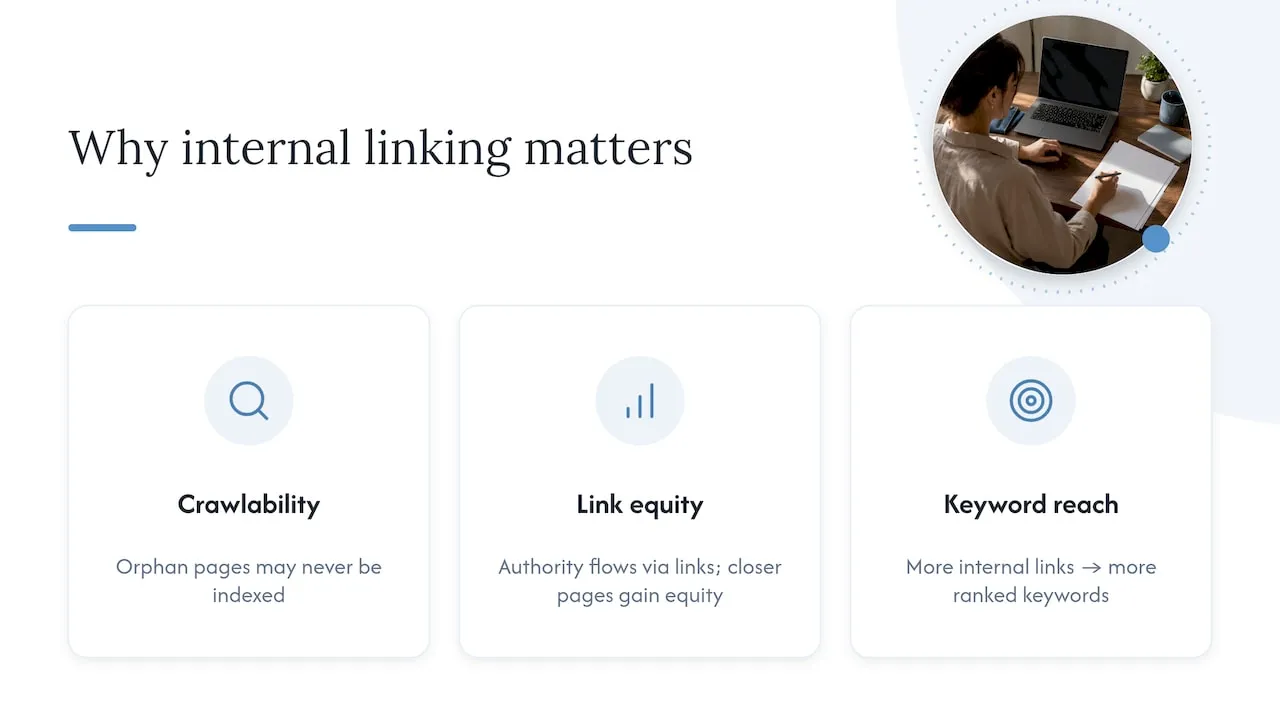
Search engine crawlers discover new and updated pages primarily by following links. A page with no internal links pointing to it, often called an orphan page, may never get crawled or indexed at all, no matter how good the content is. Internal links are the map crawlers use to find your site’s pages and understand which ones matter most.
The concept of link equity, rooted in PageRank, explains the mechanism: authority flows through links, and pages that receive more internal links from authoritative pages tend to carry more ranking weight themselves. A page sitting three or four clicks from the homepage, with few internal links pointing to it, typically receives less of that equity than a page linked directly from a high-traffic hub.
In a controlled test, increasing the number of internal links pointing to a target page increased the total number of keywords that page ranked for, and inbound links from other pages produced a stronger effect than simply adding outbound links, according to SpyFu’s internal linking experiment. That single data point captures the practical payoff: internal linking is not just a navigation convenience, it is a measurable lever for keyword coverage and visibility.
The practical implication is straightforward. If a page you want to rank is buried in your architecture with few or no internal links, adding contextual links from pages that already draw traffic or backlinks is one of the fastest ways to improve its standing, often faster than producing new content from scratch.
Site architecture and topic clusters: building hubs and spokes that work
Three structural models dominate internal linking discussions: the pyramid (homepage at the top, categories below, individual pages at the bottom), hub-and-spoke (a pillar page linking out to and receiving links from supporting articles), and hybrid models that combine both depending on content type. Search Engine Land’s architecture guide notes that hub-and-spoke topic clusters paired with a shallow hierarchy improve crawlability and strengthen topical signals, because related content reinforces the same subject matter instead of competing for it.
A pyramid structure suits sites with a clear category hierarchy, such as e-commerce catalogs. Hub-and-spoke suits content-heavy sites where a single topic, like internal linking itself, can support a dozen related articles. Most mature sites end up hybrid: category pyramids for products, topic clusters for editorial content.
Practical architecture decisions support the linking strategy on top of them:
- Keep important pages within three clicks of the homepage wherever possible.
- Use clean, descriptive URL slugs that reflect the page’s topic.
- Build a pillar page for each core topic, then link every supporting article back to it and vice versa.
- Avoid navigation menus so deep that crawlers or visitors need five clicks to reach a page.
A pillar page works by concentrating authority: it earns backlinks and internal links from across the site, then redistributes that equity to the spoke pages beneath it through contextual links in its own body copy. Search Engine Land frames this as both an editorial and engineering task: content teams choose the anchors and placement, while developers confirm the links render as crawlable HTML and hold up on mobile.
Pro Tip: Audit your three highest-traffic pages first. If none of them link to the page you most want to rank, that mismatch is often the single biggest internal linking gap on the site.
Anchor text, placement, and the reasonable surfer model
Google’s reasonable surfer model assumes that not every link on a page gets clicked equally. A link near the top of the content, in a sentence a reader is actively reading, gets more attention and more weight than a link buried in a bullet list at the bottom of the page. That assumption shapes anchor and placement rules directly.
- Write descriptive anchor text that tells the reader, and the crawler, what the destination page covers.
- Vary anchor phrasing across different links to the same page instead of repeating one exact phrase every time.
- Place contextual links early in the main content body, where engaged readers are most likely to see them.
- Avoid stuffing anchors with exact-match keywords in every instance; natural variation reads better and avoids over-optimization patterns.
Ahrefs’ guide to internal linking recommends descriptive anchor text as a core best practice, alongside placing important links early in the content rather than only in a closing summary. SpyFu’s testing reinforces the same point from a different angle: anchor text should be descriptive and varied, which gives you room to include long-tail keyword variations while staying relevant to the reader, based on SpyFu’s analysis. The goal is never to game a ranking signal. It is to describe, accurately, what a reader will find if they click.
Audit methods and tools to find internal linking opportunities
A reliable internal linking audit starts with a full site crawl, using a tool capable of mapping every link on the domain and flagging orphan pages or pages buried too deep in the hierarchy. From there, the process follows a repeatable order:
- Crawl the full site to generate a complete internal link map and identify orphan pages with zero inbound internal links.
- Identify power pages, meaning pages with strong organic traffic or external backlinks, since these pages have equity worth redistributing.
- Match power pages to target hubs, pairing each high-traffic page with the priority page that would benefit most from its authority.
- Check technical details on every link: confirm it is a standard HTML anchor, confirm it is not blocked by nofollow where follow is intended, and confirm JavaScript-rendered links actually render as anchor markup.
- Review pagination handling, making sure paginated pages use real HTML links and that each paginated page canonicalizes to itself rather than back to page one.
- Triage fixes by impact, starting with links from your strongest pages to your most important underperforming hubs.
Ahrefs notes that internal link audit tools, including site crawlers and internal link opportunity reports, can surface these gaps at scale by identifying orphan pages and suggesting linking paths from high-traffic pages to target content. The same source points out that prioritizing fixes which connect high-authority pages to underperforming hubs delivers the largest SEO gains for the least amount of work, which makes step three in the list above the one worth doing first when time is limited.
Step-by-step internal linking roadmap: diagnose, act, measure
A working internal linking strategy follows three phases, each with a clear output before moving to the next.
- Map and prioritize. Pull your top pages by organic traffic and by referring domains. Cross-reference that list against the pages you most want to rank, whether that’s a service page, a pillar guide, or a seasonal landing page. The overlap, or lack of it, tells you exactly where to add links first.
- Add contextual links with descriptive anchors. Starting with roughly three to five contextual links per article is a reasonable baseline, according to Ahrefs, placed early in the body where readers and the reasonable surfer model both give them more weight. Prioritize links from the power pages identified in step one toward your target hubs, not the reverse.
- Maintain and measure. Internal linking is not a one-time project. Revisit older posts every time you publish new related content, and add links in both directions. Track rankings, organic traffic, and click-through rate for your target hub pages on a four to twelve-week cycle, adjusting which pages you treat as “power pages” as traffic patterns shift.
Pro Tip: When you publish a new article, spend five minutes finding two or three older posts on related topics and add a contextual link from each to the new piece. That single habit keeps new content from starting as an orphan page.
This roadmap works whether you’re managing a ten-page service site or a product catalog with thousands of URLs. The scale of the audit changes, but the sequence, map, link, measure, does not.
Common mistakes and how to avoid them
Most internal linking problems fall into a short list of repeat offenders.
- Over-linking a single page dilutes the weight each link carries; a page with eighty links to choose from passes less meaningful equity through any one of them.
- Repeating the same generic anchor text (“click here,” “read more”) across templates wastes the chance to signal topical relevance to both readers and crawlers.
- JavaScript-only links that never render as HTML anchors are invisible to crawlers, even if a human visitor can click them fine, per Google’s own guidance.
- Misapplied nofollow or noindex tags can quietly cut off equity flow to pages that should be ranking.
- Orphan pages and deeply buried content with no inbound internal links rarely earn the crawl attention or authority they need.
Each of these is a quick technical fix once identified in a crawl, which is why the audit in the earlier section matters more than any single tactic.
Forefront Industries: practitioner insights and case evidence
Some digital agencies build internal linking into the structure of a site from the start rather than retrofitting it later. Content hubs get identified during discovery, before a single page is built, so the architecture supports the linking strategy instead of fighting it.
- Hub identification can happen during discovery, so pillar pages and supporting content may be planned together.
- Anchor placements are often integrated into custom-coded templates where editorial control over link position and text matters most.
- Some CMS workflows include automated link suggestions, helping keep older content connected as new pages publish.
- Internal linking can work alongside CRM-triggered content journeys, helping visitors move from discovery content toward conversion paths through a consistent hierarchy.
For service businesses with a small internal team, this combination of architecture and ongoing maintenance can matter more than any single tactic. A business running its own CMS with marketing staff comfortable editing content can usually execute contextual linking in-house. A business running a custom-coded site, or one where linking needs to tie into CRM and lifecycle automation, typically benefits from bringing in technical help to wire those systems together correctly.
Author perspective: trade-offs and prioritization for service businesses
Internal linking earns its ROI fastest on service sites where a handful of pages drive most of the leads: pair those pages with your underperforming service pages before writing anything new. The real trade-off is not strategy, it’s capacity. Developer time goes toward template fixes and crawlability; content ops time goes toward anchor writing and updates to older posts. A small team should run the audit, fix the top five mismatches, and revisit quarterly rather than chase a perfect link graph on day one.
- Jeremy
How Forefront Industries can help
Custom-coded sites can make contextual linking easier to maintain, because anchor placement lives in templates a team controls rather than a page builder’s limitations. Forefront Industries’ web design and development, email and CRM development, and AI automation services cover the build side of this work, while ongoing website maintenance, including the Managed Hosting, Webmaster, and Performance Plus plans, keeps link audits and updates part of a regular cycle instead of a one-time project.

If your site’s architecture is fighting your internal linking strategy instead of supporting it, request a consult through Forefront Industries’ services page to talk through what a custom build or maintenance plan would look like for your business.
Sources
- Make your links crawlable - Google Search Central
- Internal links for SEO: An actionable guide - Ahrefs
- Site architecture for SEO: Structure that ranks & scales - Search Engine Land
- How Internal Links Affect Your SEO - SpyFu
FAQ
What is an internal linking strategy?
An internal linking strategy is a deliberate plan for connecting pages on the same site with hyperlinks, designed to help search engines crawl and index pages while helping visitors find related content. It typically prioritizes contextual links from high-traffic pages to the hubs or pages a site owner most wants to rank.
What is an example of internal linking?
A common example is a blog post about a specific topic linking to a broader pillar page on the same subject, and that pillar page linking back to several related articles. Another example is a service page linking to a related case study or FAQ page that answers a visitor’s next likely question.
How do I add an internal link?
Add a standard HTML anchor element with an href attribute pointing to the target URL, using descriptive text that tells readers what the linked page covers. Google’s guidance confirms that links must render as real anchor markup, not JavaScript that only behaves like a link visually, in order to be reliably crawled.
What are two ways to classify internal links?
Internal links can be classified by location, such as navigational, footer, or contextual placement, or by function, such as template links that repeat across many pages versus editorial links placed deliberately within body content. Contextual editorial links generally carry more SEO weight than repeated template links, according to Google’s documentation.