Service Businesses: Buyer Ready Brief for Calendar Booking Integration

Build a custom calendar booking integration when your scheduling logic or CRM orchestration cannot be modeled inside standard scheduling software, not before. The case gets strong once you have multi-resource booking, dynamic pricing by time slot, or workflows that need to write directly into your CRM’s contact record. If that describes your business, the next move is straightforward: map your scheduling rules and list every system that needs to receive booking data before you talk to a developer.
TL;DR:
- A custom calendar booking integration becomes necessary when managing multi-resource scheduling, dynamic pricing, or handling sensitive health data that off-the-shelf tools cannot support cost-effectively.
- Building a reliable integration involves a three-layer process: triggering on booking events, updating the CRM contact record, and sending timely notifications, with real-time synchronization often under two minutes.
- The typical implementation takes 6 to 16 weeks for an MVP or mid-tier system, with enterprise solutions requiring several months for compliance and multi-resource management.
- Key mistakes include relying on mutable identifiers like email addresses, lacking idempotency, and poor webhook retry handling, which can cause duplicate records and data inconsistencies.
- Proper vetting requires proof of past integrations, clear rollback plans, SLA guarantees, and transparent pricing; rushed or vague proposals often lead to costly failures.
Table of Contents
- What Are the Signals That Justify a Custom Calendar Booking Integration?
- How Does the Three-Layer Orchestration Model Work?
- What Does a Realistic Implementation Timeline Look Like?
- What Are the Most Common Integration Mistakes?
- How Much Should a Custom Booking Integration Cost?
- How Do You Vet and Choose the Right Development Agency?
- What Do Buyers Consistently Get Wrong?
- Build Your Calendar Booking Integration With Forefront Industries
- Sources
- FAQ
What Are the Signals That Justify a Custom Calendar Booking Integration?
Complexity, not cost, is what should drive this decision. A practitioner rule worth internalizing: multi-resource scheduling or HIPAA-compliant data handling routinely forces expensive workarounds inside off-the-shelf booking tools, and those workarounds are usually the real signal that a custom build has become cheaper than the patchwork.
A few conditions make the “build” answer close to automatic:
- You’re allocating multiple resources per booking (staff plus equipment plus room, for example) rather than a single calendar slot
- Pricing changes based on time of day, staff seniority, or demand
- Scheduling is embedded as a core part of your product experience, not a side feature
- You handle protected health information or need SOC 2-level controls around booking data
- You need true bidirectional sync with an ERP or EHR system, not a one-way webhook
Pro Tip: Run the math before you commit. Count monthly bookings, multiply by the minutes your staff spends manually re-entering data into your CRM, and compare that labor cost against a build estimate. Most service businesses hit their break-even point faster than they expect once error correction and missed follow-ups get factored in.
Operationally, the threshold tends to show up around several hundred bookings a month combined with a team large enough that manual CRM entry becomes its own job function. Below that volume, a well-configured SaaS tool with an integration platform like Zapier or Make often covers the gap. Above it, the labor savings alone can fund the build.
How Does the Three-Layer Orchestration Model Work?
Every reliable calendar booking integration follows the same underlying pattern, whether it’s built for a single-location clinic or an enterprise service network. It’s a three-layer chain: a trigger, a CRM write, and a notification.
- Trigger layer: a webhook fires the moment a booking is created, updated, or canceled, capturing the raw event data
- CRM write layer: the system parses that event and writes or updates the corresponding contact record, setting fields like lifecycle stage and contact owner
- Notification layer: confirmation emails, internal alerts, and downstream workflow triggers (like a follow-up sequence) fire based on the CRM state, not the raw booking event
When this chain is built correctly, updates flow end to end in under two minutes, fast enough that a sales rep sees a new booking in their CRM before the prospect has closed the confirmation tab.
The layer most agencies get wrong is reconciliation. Booking systems love to use email address as the unique identifier tying a calendar event to a CRM contact, but email addresses change, get typo’d, or get shared across a household. Pro Tip: Insist your developer store an immutable database ID as metadata inside the calendar event itself. That ID, not the email field, becomes the permanent link between the booking and the contact record, so the connection survives even when contact details change.
What Does a Realistic Implementation Timeline Look Like?
A calendar booking integration built well moves through four distinct phases, and skipping any of them is where most projects go sideways.
- Phase 0, weeks 0 to 1: Mapping. Document every scheduling rule, list every system that needs booking data (CRM, email platform, payment processor), and define what “successful sync” means for your business.
- Phase 1, core sync. Build the webhook triggers, the create/update logic, and deduplication rules that stop the same booking from generating two contact records.
- Phase 2, intelligence. Layer in lead routing rules, lifecycle stage updates, and payment or deposit handling tied to the booking event.
- Phase 3, QA and launch. Test against sample datasets in a sandboxed environment, define a rollback plan for the data migration, and set up monitoring before flipping the switch in production.
Testing deserves real time here, not a rushed afternoon. Sandbox the calendar and CRM APIs with realistic sample data, including edge cases like double bookings and canceled-then-rebooked slots, before anything touches your live contact list.
- Confirm webhook delivery under load, not just on a single test booking
- Verify deduplication logic against contacts with near-identical names or shared emails
- Document the rollback procedure in writing before go-live, not after something breaks
What Are the Most Common Integration Mistakes?
The mistakes that sink calendar booking integrations are rarely about the calendar. They’re about what happens to the data after the booking event fires.
- Using a mutable field like email as the reconciliation key instead of an immutable database ID stored in event metadata
- Building without idempotency, so a retried webhook creates duplicate CRM records instead of safely updating the existing one
- No defined policy for calendar conflicts, especially when a staff member’s personal calendar overlaps with a booking slot
- Storing API tokens in plain text instead of a proper secrets manager, or skipping token refresh logic entirely
- Skipping a middleware orchestration layer when the business genuinely needs one to broker between three or more systems
Pro Tip: Ask any agency you’re evaluating how they handle webhook retries. If a booking platform resends a webhook because it didn’t get a fast enough response, does their system create a duplicate CRM entry or recognize the repeat and ignore it? That single answer tells you more about build quality than almost anything else in the proposal.
Integration work and conflict handling together tend to consume 20 to 30% of a project’s total timeline, which is exactly why rushed builds cut corners here first.
How Much Should a Custom Booking Integration Cost?
Cost bands track feature complexity more than they track your business size. An MVP, one that handles core sync between a booking form, a calendar, and a CRM, typically runs on a shorter build cycle. A mid-tier build adds payment processing, lead routing, and lifecycle automation. Enterprise builds add compliance requirements, multi-location logic, and marketplace-style resource allocation.
- MVP: basic webhook sync, single calendar, single CRM object
- Mid-tier: multi-step lifecycle automation, payment handling, deduplication logic
- Enterprise: compliance controls, multi-resource allocation, bidirectional ERP/EHR sync
Industry timelines for these bands commonly run 6 to 16 weeks for MVP and mid-tier work, stretching to several months for enterprise scope with heavier compliance needs. Budget ongoing maintenance, hosting, monitoring, and bug fixes, separately from the build cost, and request quotes specifically for migration work and any EHR or ERP compliance integration, since those line items get buried in vague proposals more often than any other cost.
How Do You Vet and Choose the Right Development Agency?
A strong proposal answers questions most agencies hope you won’t ask.
- Require proof of prior API and CRM integration work, not just website portfolios; ask to see a build that syncs calendar events to a CRM in production.
- Ask directly how they handle deduplication and whether they use immutable IDs for event-to-contact linkage, since the answer reveals whether they’ve actually shipped this kind of system before.
- Demand a written rollback plan for data migration before the contract is signed, not after launch week arrives.
- Confirm what SLA applies to sync failures. Is there monitoring, alerting, and a defined response window if a booking silently fails to write to your CRM?
- Get clear terms on code ownership and the scope of post-launch maintenance included in the price.
Red flags worth walking away from: vague or bundled pricing with no line-item breakdown, no rollback plan, and no willingness to show a prior integrated build. Forefront Industries’ CRM and lifecycle engineering work is one example of what a proposal with real integration depth should look like on paper.
What Do Buyers Consistently Get Wrong?
Buyers underestimate the cost of the manual workaround they’re already living with. Nobody tracks the hours a front-desk employee spends re-entering booking data into a CRM, so it never shows up in the build-versus-buy math, and the SaaS bill looks artificially cheap by comparison.
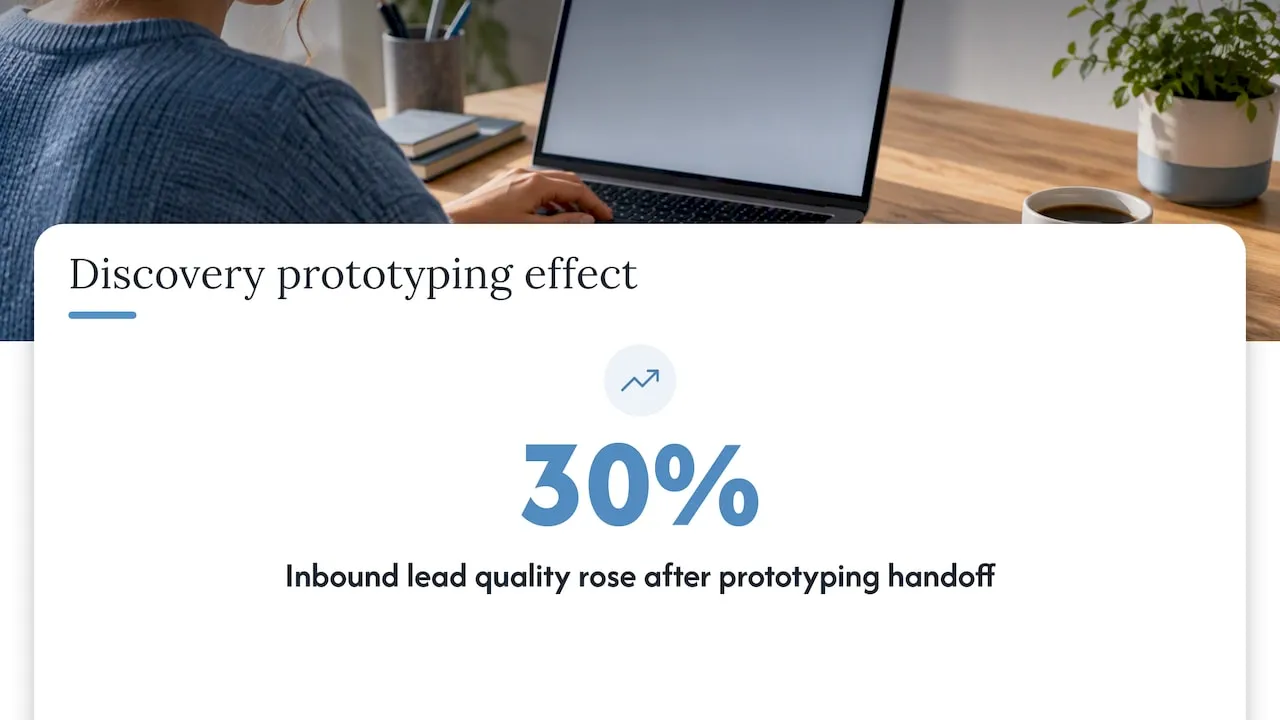
The tactical fix: prototype your hardest scheduling rule during discovery, before signing a full contract, so the estimate reflects reality rather than a guess. That number came from fixing the handoff, not from a bigger ad budget.
- Jeremy
Build Your Calendar Booking Integration With Forefront Industries
Custom calendar booking integrations are built directly rather than as workarounds bolted onto templates. Effective approaches draw on enterprise CRM and lifecycle marketing experience from platforms like Salesforce Marketing Cloud and Braze, applying the kind of infrastructure used by major consumer brands to a service business’s booking workflow.
The Web Design & Development, Email & CRM Development, and AI Automation & Consulting services cover the full build: custom-coded front ends, CRM field mapping, webhook orchestration, and the lead routing logic that turns a booking into a tracked, owned contact record. When you request a proposal, come with three things ready: the systems that need to talk to each other, your current monthly booking volume, and the one scheduling rule that no off-the-shelf tool has ever handled correctly. Once the integration is live, Managed Hosting, Webmaster, and Performance Plus maintenance plans keep it monitored and running. Reach out through the services page to start a proposal built around your actual booking rules, not a generic template.
Sources
- Zoho Bookings integrations with Zoho CRM
- Zoho help: integrate Zoho Bookings with Zoho CRM
- BuiltWithTech: How to connect CRM and booking system
FAQ
What Is a Custom Calendar Booking Integration?
It’s a purpose-built connection between your website’s scheduling page, your calendar (Google or Outlook), and your CRM, designed around your exact business rules rather than a generic template. It typically follows a three-layer orchestration pattern: a trigger, a CRM write, and a notification step.
How Long Does It Take to Build a Calendar Booking Integration?
MVP and mid-tier builds commonly run 6 to 16 weeks depending on how many systems need to sync. Enterprise builds with compliance requirements or multi-resource logic can take many months.
Should I Start With Off-the-Shelf Software Before Going Custom?
Starting on off-the-shelf scheduling software can be a smart way to validate demand and surface the exact friction points a custom build needs to solve. That discovery period often produces a more precise, cheaper-to-build spec than starting from scratch.
What Does Forefront Industries Charge for a Custom Integration?
Pricing for Web Design & Development and Email & CRM Development is quoted per project based on scope, since booking complexity varies widely between businesses. Ongoing maintenance plans are published, starting with Managed Hosting with a published monthly fee.
Why Use an Immutable ID Instead of Email for CRM Syncing?
Email addresses change, get mistyped, or get shared across multiple contacts, which breaks the link between a calendar event and the right CRM record. An immutable database ID stored as metadata in the event stays stable no matter what changes on the contact side.