Website Deployment Workflow: From Staging to Production

A website deployment workflow is the fixed path a change takes from a developer’s branch to the live site: build, test, review on staging, release, monitor, and roll back if needed. The sound version has one path, runs automatically, and treats staging as a rehearsal of production, not a separate world. This guide lays out each stage, the tests that belong in it, the release strategies to choose from, and the failures that appear most often.
TL;DR
- Keep staging and production separate, with matching configuration, so what you test is what ships.
- Send every change through one automated pipeline. Hotfixes and “emergency” edits included.
- Automate tests at each stage: unit, integration, acceptance, security scans and post-release health checks.
- Pick a release strategy by risk: blue-green for instant rollback, canary for gradual exposure.
- Most failures happen at the last mile: DNS, CDN caches and environment drift, not code.
Table of Contents
- 1. What the workflow covers
- 2. The stages, in order
- 3. Staging: what it must be
- 4. Automated tests to run before release
- 5. Choosing a release strategy
- 6. The last mile: DNS, CDN and caches
- 7. One path to production
- 8. Monitor after release
- 9. Rollback plan
- 10. Perspective: what we see in client sites
- 11. Getting this set up
- 12. Release checklist
- FAQ
- Sources
1. What the workflow covers
Deployment is more than copying files to a server. A complete workflow answers six questions:
- Where does the code live, and what triggers a release?
- What checks must pass before anything is built?
- What artifact is built, and where is it stored?
- Who or what approves the move from staging to production?
- How does traffic reach the new version?
- How do we know it works, and how do we undo it?
The Modern Web Dev Guide describes the path as eight stages: Source, CI, Artifact, Registry, CD, Runtime, CDN and DNS. A one-page marketing site may collapse several of these into a single hosting platform. The stages still exist. They are just handled for you.
If your current process is “run the build, then upload the files by hand,” you have the first and last stage and nothing in between. That works until the day a typo, a missing environment variable or a stale cache reaches customers.
2. The stages, in order
Source
All site code, configuration and infrastructure definitions live in version control. A merge to the main branch, or a tagged release, starts the pipeline. Nobody edits files on the server.
Continuous integration
Every commit triggers linting and automated tests. A failure stops the pipeline at this stage and points to the code layer, which keeps debugging narrow.
Artifact build
The pipeline builds the site once. For a React frontend, that means compiled, minified JavaScript and CSS plus HTML. The same artifact moves through staging and production. Do not rebuild for production, because a rebuild can produce a different result from the one you tested.
Registry and storage
The artifact is versioned and stored, typically as a tagged build or container image. This is what makes rollback fast: the previous version already exists, built and tested.
Continuous delivery
The pipeline releases the artifact to staging automatically. Promotion to production is either automatic after checks pass, or a single approval click.
Runtime, CDN and DNS
The new version runs, the CDN serves it, and DNS routes users to it. These last three stages are where many incidents start, covered in section 6.
3. Staging: what it must be
Staging is the place to check layouts, forms, redirects, plugins, database changes and performance before release. A staging-to-production guide from StackAbuse recommends keeping the two environments separate: no shared folder, database or environment settings.
The same guide names the main risk, environment drift, where staging and production behave differently because of mismatched versions, missing extensions or cache differences. A staging site that does not match production gives false confidence, which is worse than no staging.
A useful staging environment has these properties:
- Same runtime versions, build settings and CDN behavior as production.
- Separate database and credentials. Never point staging at the live database.
- Realistic but non-sensitive test data.
- Blocked from search engines and password-protected.
- Third-party integrations (CRM, email, payments, forms) connected in sandbox mode.
That last point matters for lead-generation sites. A form that posts to your live CRM from staging creates fake leads. A form that posts nowhere hides a broken integration. Use a sandbox endpoint and verify the record arrives.
4. Automated tests to run before release
AWS prescriptive guidance on CI/CD lists seven types of automated testing as a baseline for an automated pipeline. Here is how they map to a website.
| Test type | What it checks | Website example |
|---|---|---|
| Unit | Single functions and components | Form validation logic, price formatter |
| Integration | Components working together | Form submission reaching the CRM endpoint |
| Acceptance | User requirements | A visitor can request a quote end to end |
| Synthetic | Continuous health checks | Scheduled check that key pages return 200 |
| Performance | Capacity under load | Page speed and traffic simulation |
| SAST | Static security analysis | Scan source for insecure patterns |
| DAST | Dynamic security testing | Probe the running staging site |
Not every small site needs all seven on day one. Start with unit, acceptance and a smoke test of the five pages that earn revenue. Add the rest as the site grows.
Security belongs inside the pipeline, not after it. The UK Cabinet Office handbook states that security should be secured by design instead of added as a late stage. In practice: dependency scanning on every build, and access control reviewed as part of the pipeline definition.
5. Choosing a release strategy
The next decision is how the new version replaces the old one. AWS describes five standard strategies: run-once, blue-green, canary, rolling and shadow.
| Strategy | How it works | Best for | Trade-off |
|---|---|---|---|
| Run-once | Replace the old version in one step | Low-traffic brochure sites | Brief risk window, slower rollback |
| Blue-green | Two identical environments, traffic switches at once | Lead-critical sites needing instant rollback | Double the environment cost |
| Canary | Small share of traffic goes to the new version first | High-traffic sites, risky changes | Needs traffic splitting and monitoring |
| Rolling | Instances update in batches | Multi-server applications | Two versions live at once during rollout |
| Shadow | Live traffic copied to a background version | Validating major backend changes | Complex to set up |
AWS notes that blue-green minimizes downtime and risk, while canary limits the impact of faulty code by exposing only a subset of users.
Blue-green is not the same as staging
These are often confused. The difference is the routing layer: a load balancer or DNS switch moves traffic in near-instant fashion, and reverting is another switch. With plain staging, reverting means another deployment cycle or rebuild. If a failed release costs you form submissions every minute it stays live, the routing layer pays for itself.
Hosting platforms offer a managed version of this. For example, Azure App Service deployment slots let you deploy to a staging slot, run smoke tests, then swap it into production on Standard tier plans or higher.
6. The last mile: DNS, CDN and caches
Code that passed every test can still fail in front of users. Documentation from the US Department of Veterans Affairs platform team notes that failures often occur at the last mile of continuous deployment, meaning DNS or CDN cache invalidation, and not in the code itself.
A common mitigation is to deploy static assets (JS and CSS) separately from the HTML scaffold, so a partial update does not require clearing every cache globally. Use content-hashed file names for assets. Then the HTML references new files, old files stay available for visitors mid-session, and nothing needs purging.
Check list for the last mile:
- Lower DNS TTL before any change that moves records. Raise it again after.
- Purge only the paths that changed.
- Confirm the live site serves the new build, for example through a version string in the page source or a response header.
- Test from outside your office network, since your own DNS and browser caches can mislead you.
7. One path to production
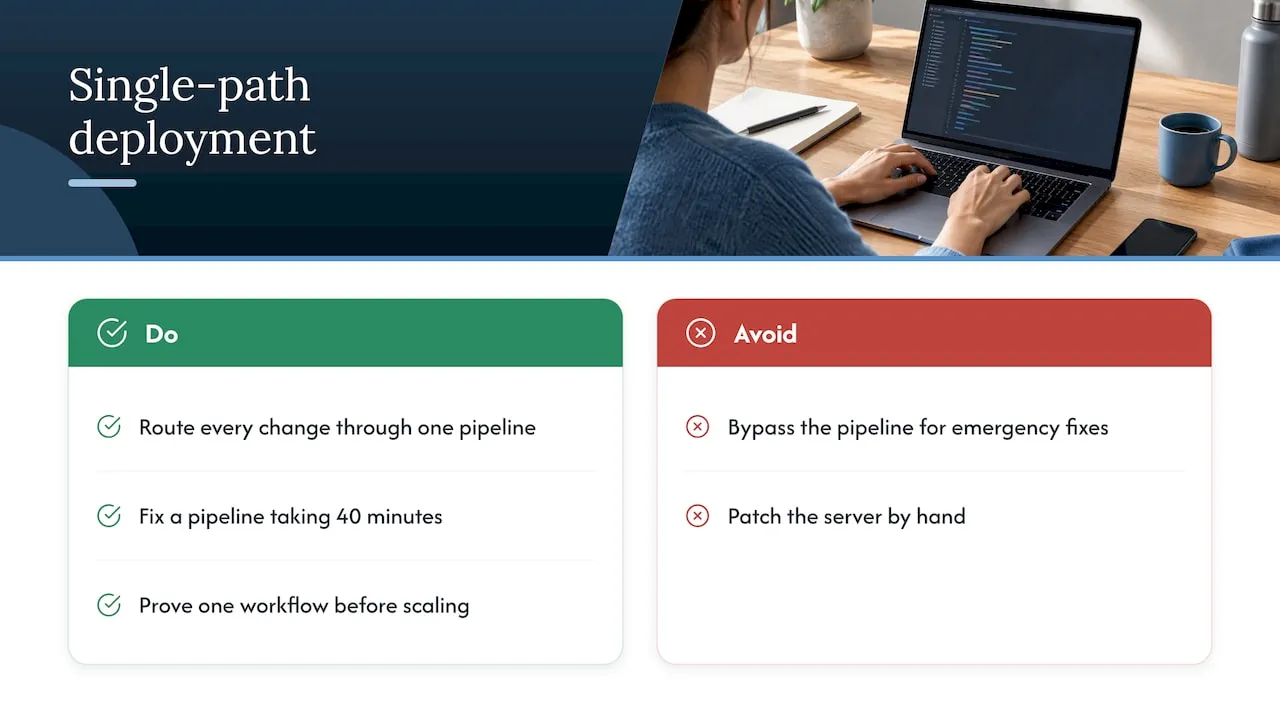
The most expensive habit in deployment is the exception. The MinimumCD guide defines a single path to production as one in which every change follows the same automated pipeline: features, bug fixes, configuration updates and infrastructure changes alike.
The same guide identifies the belief that emergency manual deployments are faster as the main misconception, and names these bypasses as the primary source of configuration drift. The manual fix goes live, nobody back-ports it, and the next automated release overwrites it or conflicts with it.
A fast pipeline removes the temptation. If a hotfix takes four minutes through the pipeline, nobody needs to touch the server. If the pipeline takes 40 minutes, fix the pipeline.
The same principle applies beyond code. Marketing teams that publish through one tracked, automated process make fewer errors than teams that patch things by hand. This agency SEO automation workflow makes a similar argument: prove one workflow works before scaling it.
8. Monitor after release
A deployment is not finished when files are live. The DoD Enterprise DevSecOps Fundamentals document treats monitoring as part of the lifecycle, not an after-the-fact check, and advises monitoring the system as a whole rather than judging individual parts.
For a service business website, “as a whole” means watching outcomes, not just uptime:
- Uptime and response time on key pages.
- Error rates in the browser console and server logs.
- Form submissions reaching the CRM, with a daily count compared to normal.
- Lead routing: new leads assigned to the right owner.
- Core page speed and search crawl errors.
A site can be fully “up” while its contact form silently fails. Synthetic checks that submit a test lead every hour catch this before a week of lost enquiries does.
9. Rollback plan
Write the rollback before the release. It should state:
- The trigger: what metric or failure means roll back, and who decides.
- The mechanism: route traffic back to the previous artifact, or redeploy the last tagged build.
- Database handling: migrations should be backward compatible, so the old code still runs against the new schema.
- Communication: who is told, and where the incident is logged.
Practice it once on staging. A rollback that has never been run is a hypothesis.
10. Perspective: what we see in client sites
We build custom-coded React sites and the CRM and email systems behind them. Our background is enterprise lifecycle and CRM engineering, with work for brands such as Amazon and Verizon. That shapes how we treat deployment for service businesses.
Three positions we hold:
- The website is part of a revenue system. A release that breaks a form or a lead-routing rule costs money the same day. So we check the lead path, not only the page, on every release.
- Templates and page builders make deployment harder. When part of the site lives in a visual editor’s database and part in code, there is no single path to production. Custom-coded sites keep everything in version control.
- Maintenance is a deployment discipline. Updates, security patches and performance work should ship through the same pipeline as new features, with monitoring behind them.
Most small businesses do not need a full eight-stage pipeline. They need version control, a matching staging site, automated checks on the pages that make money, and a one-step rollback. That is achievable at any size.
- Jeremy
11. Getting this set up
If your site is edited live, uploaded by hand or held together by plugins, we can build and run the workflow for you. Our web design and development services cover custom-coded sites with a deployment path designed in from the start. For existing sites, our website maintenance plans handle ongoing updates, performance and security: Managed Hosting is $99 per month, Webmaster is $250 per month and Performance Plus is $750 per month.
12. Release checklist
- Change merged through review into the main branch.
- Pipeline lints, tests and scans pass.
- Single artifact built and stored with a version tag.
- Artifact deployed to staging; environment matches production.
- Forms, CRM sync, redirects and tracking verified on staging.
- Approval recorded.
- Release by chosen strategy (blue-green, canary or run-once).
- Version confirmed live; CDN paths purged as needed.
- Synthetic checks and lead-flow monitoring watched for the first hours.
- Rollback executed if triggers are hit; otherwise the release is closed.
FAQ
What is the staging to production process?
You build the site once, deploy that build to a staging environment that mirrors production, and test it there. After checks and approval, the same build is promoted to production. Rebuilding for production defeats the purpose, because the tested artifact is no longer what ships.
What are the main stages of a deployment pipeline?
At minimum: source, build and test, staging release, production release and monitoring. The Deployment Pyramid breaks this into eight: Source, CI, Artifact, Registry, CD, Runtime, CDN and DNS. Small sites combine several into one hosting platform.
How do you automate website deployments?
Connect your repository to a CI/CD service so a merge triggers linting, tests, a build and a staging release. Then add a promotion step to production, either automatic or approved with one click. Remove manual file uploads so the pipeline is the only route live.
Which deployment strategy should a small business site use?
A brochure site with modest traffic can use run-once with a tested rollback. If your site drives leads and downtime is costly, blue-green gives you an instant switch back. Canary suits high-traffic sites where you want to limit exposure of risky changes.
Sources
- The Deployment Pyramid, Modern Web Dev Guide
- How to Set Up a Staging-to-Production Deployment Workflow for a Website, StackAbuse
- CI/CD strategy, AWS Prescriptive Guidance
- Zero-downtime deployments with Amazon CloudFront, AWS
- Blue-green and shadow deployment, Protocol Documentation
- Azure App Service slots, Microsoft Azure on Medium
- Continuous deployment to production, VA Platform documentation
- Single Path to Production, MinimumCD
- DoD Enterprise DevSecOps Fundamentals
- Software development operations, UK Cabinet Office Digital Handbook