UTM Tracking in CRM: Capture, Store and Report Campaign Data

UTM tracking in a CRM means that the campaign tags on a link a visitor clicked end up stored on the lead or contact record created when that visitor fills in a form. The chain has four links: a tagged URL, browser-side capture, hidden form fields, and CRM field mapping. If any link breaks, the lead arrives with no source. This guide covers each step, the storage rules that protect attribution, the failure points, and the reports to build afterward.
TL;DR
- UTM values only reach the CRM if something stores them in the browser, writes them to hidden form fields, and maps those fields to CRM properties.
- Use five parameters:
utm_source,utm_mediumandutm_campaignare required in practice;utm_termandutm_contentadd detail. - Create separate first-touch and last-touch fields. Do not let a later form submission overwrite the original source.
- Most missing-data cases trace to unmapped fields, a missing tracking script, parameters dropped between pages, or sync timing.
- Stored UTMs are only useful once they are tied to opportunities and closed revenue, not left on the lead.
Table of Contents
- How UTM tracking works with a CRM
- The five UTM parameters
- Capturing UTMs in website forms
- Storing UTM data so it survives the customer journey
- First-touch and last-touch attribution
- Tying UTM data to opportunities and revenue
- Finding UTM data in Google Analytics
- Troubleshooting missing UTM values
- Our perspective
- Where Forefront Industries fits
- Capturing source data in professional-services lead forms
- Implementation checklist
- FAQ
- Sources
How UTM tracking works with a CRM
A UTM parameter is a tag appended to a URL. When a visitor clicks the link, the tags travel in the query string to your site. Analytics tools read them for session reporting. A CRM does not read them by itself. It only knows what a form, API call or integration sends it.
The sequence:
- A marketer builds a tagged URL for an ad, email or post.
- The visitor lands on the site. A script reads the query string.
- The script saves the values in cookies or local storage so they survive navigation.
- When the visitor submits a form, hidden fields are filled from storage.
- The CRM receives the form data and writes the values to mapped fields.
- Reports group leads, opportunities and revenue by those fields.
The weak point is step 3. A query string exists only on the landing page. A visitor who reads three more pages and then submits the contact form carries no UTMs in the URL unless they were stored.
The five UTM parameters
Google’s documentation says campaign URLs should always include source, medium and campaign name, with term and content as optional detail. Adobe’s documentation lists the same five parameters.
| Parameter | Identifies | Example value |
|---|---|---|
utm_source |
Where the click came from | google, newsletter |
utm_medium |
The marketing vehicle | cpc, email, social |
utm_campaign |
The campaign or promotion | spring-consult-offer |
utm_term |
The paid keyword | kitchen+remodel+miami |
utm_content |
The creative or link variant | hero-banner-b |
Adobe’s guidance is that medium should describe the broad vehicle and source the originating subchannel. Mixing the two levels makes channel reports harder to read. Pick that rule once and document it.
Naming conventions that keep reports clean
CRM reports group by exact text. Facebook, facebook and fb become three rows. Set these rules before the first campaign:
- Lowercase only.
- Hyphens instead of spaces.
- A fixed list of allowed
utm_mediumvalues. - A shared sheet of campaign names with owner and launch month.
- No UTMs on internal links. They overwrite the real source with your own site.
Capturing UTMs in website forms
There are four common ways to capture values: a dedicated capture tool, hidden form fields, a tag manager, or a customer data platform. For most service businesses with a custom site, hidden fields plus a short script are the most controllable option.
Step 1: Add hidden fields
Add one hidden input per parameter to every lead form:
utm_sourceutm_mediumutm_campaignutm_termutm_content
Also consider hidden fields for the landing page URL and the referrer. Vector’s CRM integration guide lists first-page URL and full landing-page URL alongside the five UTMs as values to map to custom fields.
Step 2: Store values on arrival
On each page load, a script should:
- Read the query string.
- If any UTM is present, write it to local storage or a first-party cookie.
- If none is present, leave existing stored values alone.
- Record the first value separately from the latest one.
Step 3: Populate fields at submit
Before the form posts, copy stored values into the hidden inputs. Test this with a form that is loaded on a different page than the landing page. That is the case that fails most often.
Step 4: Map fields in the CRM
Each hidden field needs a matching CRM property, and the integration must map one to the other. In HubSpot, hidden fields can carry attribution data onto the contact record where it can feed reports and workflows. In Salesforce, web-to-lead forms post to custom lead fields, and the same fields should convert to contact and opportunity fields on lead conversion.
Storing UTM data so it survives the customer journey
Capture is half the job. The other half is deciding what is allowed to change.
Fields to create
| Field group | Purpose | Update rule |
|---|---|---|
| First-touch source, medium, campaign | Which campaign created the lead | Write once, never overwrite |
| Last-touch source, medium, campaign | Which campaign drove the latest conversion | Update on each new form submission |
| Term and content | Keyword and creative detail | Store with each touch |
| Landing page URL | First page seen | Write once |
| Attribution model label | Which rule the report uses | Set by workflow |
Some CRMs classify source automatically without keeping your raw values. HubSpot’s built-in source property, for example, records a channel and drill-downs, not the full UTM set, so custom properties are needed if you want campaign names in reports. That article also notes HubSpot has no write-once setting, so a workflow must enforce first-touch fields.
Overwrite or preserve
The rule is simple. First-touch fields are immutable. Last-touch fields change only when a new tagged visit leads to a form submission. A blank value should never overwrite a populated one. Build that logic into the integration or a workflow, because the form tool will not do it by default.
Contact versus account level
B2B service businesses often have several people from one company submit forms. Decide whether attribution lives on the contact, the account, or both. A common setup: contact-level first and last touch, with the opportunity inheriting the touch that created it.
First-touch and last-touch attribution
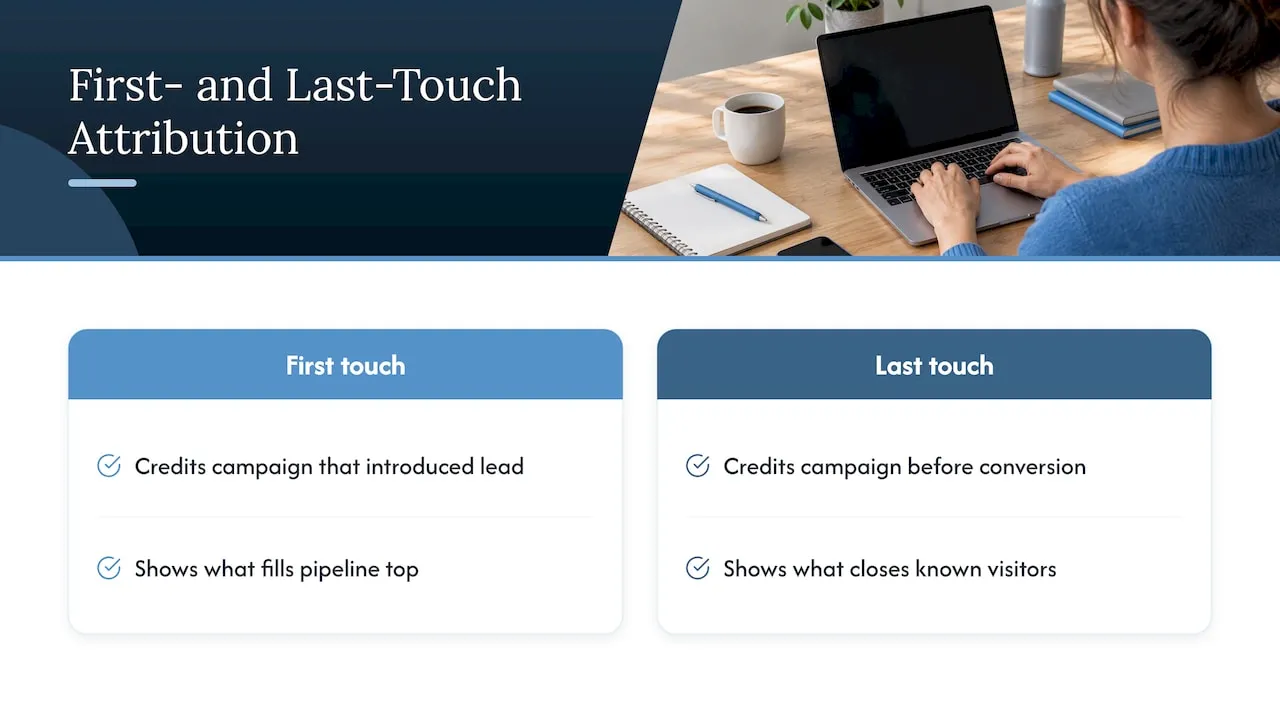
First touch credits the campaign that introduced the lead. Last touch credits the campaign that preceded the conversion. They answer different questions. First touch shows what fills the top of the pipeline. Last touch shows what closes visitors who already know you. Attribution analysis across repeat visits and conversion paths is worth doing once you have both fields populated, because the gap between them shows how much your channels depend on each other.
Simple hidden-field capture has a known limit: it commonly reflects only the last touch before submission and can lose data when visitors move across pages, according to Ruler Analytics’ Salesforce guide. Storing values on arrival, as above, closes most of that gap. It does not cover visits across devices or after a long gap when cookies expire.
Tying UTM data to opportunities and revenue
A UTM stored on a lead answers “where did this form come from?” The business question is “which campaign produced closed revenue?” For that, the source data has to follow the lead into the sales stage. Connecting UTM data on leads to opportunities is where most setups stop short.
What to configure:
- Map lead fields to contact and opportunity fields on conversion.
- Associate a campaign record with each opportunity.
- Report on closed-won amount by first-touch campaign and by last-touch campaign.
- Track lead-to-opportunity rate by source, not only lead volume.
A campaign with cheap leads and no closed deals is a cost. A campaign with few leads and several closed contracts is an asset. Only the opportunity link shows the difference.
Reports to build first
- Leads by first-touch source and medium, by month.
- Pipeline value by campaign.
- Closed-won revenue by first-touch versus last-touch.
- Lead-to-customer conversion rate by
utm_medium. - Untagged lead share, as a data-quality check.
Finding UTM data in Google Analytics
Google Analytics shows the same campaign values from the session side. Its documentation describes source, medium, campaign name, campaign ID, content and term as campaign dimensions, and states each session is associated with one campaign or traffic source. In GA4, open the acquisition reports and view traffic by session source/medium or session campaign.
Expect small mismatches between GA4 and the CRM. Analytics counts sessions and consent-limited users. The CRM counts people who submitted a form. Use GA4 to see what traffic each campaign drove, and the CRM to see what revenue it produced.
Troubleshooting missing UTM values
When leads arrive with blank source fields, work through this list in order.
- Is the form URL tagged? Test by loading the page with UTMs and submitting. Surface’s support notes list a form URL without UTMs among the common causes.
- Is the tracking script installed on every page? A missing CRM tracking script is another cause on that list.
- Are the fields mapped? A hidden field with no matching CRM property is discarded.
- Did the click ID survive navigation? The same notes flag a
gcliddropped during navigation. - Is sync timing the issue? Metadata’s support documentation says apparent missing values may reflect a native lead-sync path delivering the lead before enriched attribution data. Check sync status and allow processing to finish.
- Do converted leads keep the values? Metadata’s help center also suggests checking whether converted leads contain UTM values and verifying field mappings.
A short test protocol
- Open a private window.
- Visit a landing page with all five UTMs set to obvious test values.
- Click through two internal pages.
- Submit the contact form.
- Find the record in the CRM and confirm every field.
- Submit a second form from a new tagged URL and confirm first-touch stayed unchanged.
Run this after every site release. Redesigns and form-plugin updates break hidden fields more often than CRM changes do.
Our perspective
Most lost attribution is an engineering problem, not a marketing one. Teams spend weeks on campaign naming and then use a form that drops values the moment the visitor changes pages. We build the capture layer into the site itself: a script that stores values on first arrival, hidden fields on every form, and a field map written before the first campaign launches.
We also push for opportunity-level reporting from day one. Our background is enterprise CRM and lifecycle marketing, including work for large consumer brands, and the pattern repeats. Lead counts look healthy, but nobody can say which source produced revenue because the data stopped at the lead record. Service businesses have fewer leads than a retailer, so each untracked one matters more.
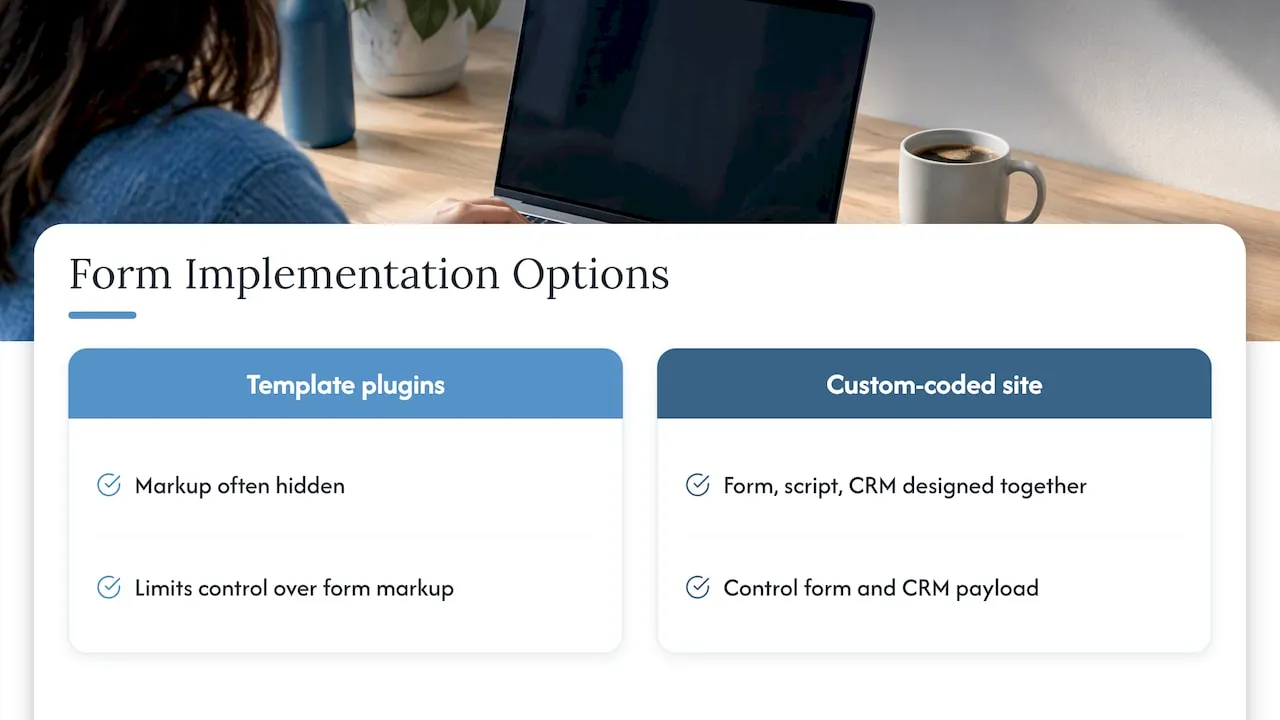
Template form plugins make this harder. They often hide the markup you need to control. A custom-coded site lets the form, the script and the CRM payload be designed together.
- Jeremy
Where Forefront Industries fits
If your forms, CRM fields and reports were set up separately, the gaps sit between them. We design and build the site, the form capture and the CRM or email system as one system, and we also run Email & CRM Development and AI automation for service businesses. If you use Klaviyo for email, our Klaviyo email development work covers passing the same campaign fields through lifecycle flows. After launch, our website maintenance plans keep tracking scripts and forms working through updates.
Capturing source data in professional-services lead forms
Firms that sell consultations, such as law, finance, dental and home-building practices, usually have one main inquiry form and a phone number. Capturing campaign source when prospects submit lead forms matters most for local listings, where tags are easy to forget. Tag the website link on your business profile, give each ad group its own campaign name, and add a “how did you hear about us” dropdown as a backup for calls and walk-ins. Phone leads need call tracking or a manual source field, since UTMs only exist in the browser.
Implementation checklist
- Write the naming convention and allowed values.
- Create CRM properties for five UTMs, first-touch and last-touch groups, and landing page URL.
- Add hidden fields to every lead form.
- Deploy the storage script site-wide.
- Map form fields to CRM properties.
- Add logic so first-touch never overwrites.
- Carry fields to opportunities on conversion.
- Run the test protocol.
- Build the five reports above.
- Audit untagged lead share monthly.
FAQ
What are the 5 UTMs?
They are utm_source, utm_medium, utm_campaign, utm_term and utm_content. Source, medium and campaign are the ones Google says should always be present. Term and content add keyword and creative detail.
What is UTM used for?
UTMs label which link brought a visitor, so analytics and CRM reports can group traffic and leads by source, medium and campaign. With a CRM connection, the same labels can be tied to opportunities and closed revenue.
Why are my UTM values blank in the CRM?
The usual causes are an untagged form URL, a missing tracking script, unmapped fields, parameters lost when the visitor changed pages, or sync timing. Run the test protocol above to find which step breaks.
Should I store first-touch or last-touch UTMs?
Store both. Keep first-touch fields write-once, and update last-touch fields only when a new tagged visit ends in a form submission. Comparing the two shows which campaigns introduce leads and which ones convert them.
How do I find UTM data in Google Analytics?
Open the acquisition reports in GA4 and view session source/medium or session campaign. Those dimensions come from the UTM values on the landing URL.
Sources
- URL builders: Collect campaign data with custom URLs, Google Analytics Help
- UTM Parameters, Adobe Marketo Measure
- Campaigns and traffic sources, Analytics Help
- How to Pass UTM Parameters and First Page Visit Details to Your CRM, Vector
- How to track UTM parameters in HubSpot CRM, Attributer
- HubSpot UTM Tracking: Capture, Attribution and Reporting, Terminus
- How to Capture UTMs in Salesforce to Track Leads, Ruler Analytics
- Why aren’t UTM parameters and gclid being passed through to HubSpot, Surface
- Why aren’t UTMs appearing correctly in my marketing automation tool, Metadata
- All about UTM Codes and Tracking, Metadata Help Center
- Why analytics in marketing drives better ROI
- LinkedIn lead generation and CRM sync
- Google Maps lead generation for service businesses