React Server Components SEO: What Crawlers Actually Get

React Server Components (RSC) help SEO because they send finished HTML to crawlers instead of an empty shell that needs JavaScript to fill in. That is the benefit. It is not automatic. Pages still lose rankings when metadata is set in the wrong place, when 'use client' is applied to whole page trees, or when structured data and links are injected after load. This guide covers what changes, what does not, and a checklist for a Next.js App Router build.
TL;DR
- Server Components render ahead of time, so crawlers receive content, links and metadata in the first HTML response.
- Metadata belongs in
metadataorgenerateMetadata, which run in Server Components only. - Keep Client Components small and interactive. Heavy client bundles hurt Interaction to Next Paint (INP).
- Put JSON-LD and internal
<a href>links in the server response. Do not build them in the browser. - Avoid dynamic rendering workarounds. Serve the same HTML to users and bots.
Table of Contents
- What RSC change for crawlers
- The server and client boundary
- Metadata: title, description, Open Graph
- Structured data in the server response
- Internal links and navigation
- Core Web Vitals and bundle size
- Avoid dynamic rendering workarounds
- Our perspective
- Common mistakes
- How to verify what Google sees
- Where we can help
- FAQ
- Sources
What RSC change for crawlers
In a client-rendered React app, the server returns a near-empty HTML document and a JavaScript bundle. The browser runs the bundle, fetches data, and builds the page. A crawler has to do the same work before it sees your content.
Server Components move that work. The Next.js documentation describes them as UI that is rendered, and optionally cached, on the server. The HTML that leaves the server already contains the text, headings and links.
Google can render JavaScript. The cost is time and resources. Search Engine Land’s JavaScript SEO guide notes that pages relying heavily on JavaScript can be hard for search engines to interpret and index. Server rendering removes that dependency for content discovery.
The practical difference:
| Approach | What the first response contains | Crawler dependency |
|---|---|---|
| Client-side rendering only | Empty root element, script tags | Must execute JavaScript to see content |
| Server Components (default in App Router) | Full HTML for content, links, metadata | None for content discovery |
| Client Components inside a server tree | Server-rendered HTML for the initial state, then hydration | None for initial content |
The last row matters. Client Components are also pre-rendered to HTML on the server in Next.js on the first load. The distinction is about what JavaScript ships to the browser, not whether HTML exists.
The server and client boundary
Every file in the App Router is a Server Component unless it, or a parent that imports it, declares 'use client'. That directive creates a boundary. Per the Next.js guide on the boundary, RSC splits the component tree between server and client module graphs, and the boundary decides whether code ships to the browser.
Two consequences for SEO:
- Code inside the boundary becomes JavaScript the browser must download and run. More of it means slower interaction.
- Anything that must be indexed should live on the server side of the boundary, or at least be passed to the client component as props rendered on first load.
Where 'use client' belongs
Use it on leaf components that need browser events or state:
- Contact forms with validation
- Mobile navigation toggles
- Modals and date pickers
- Filter controls on a listing page
Do not use it on:
- Page files (
page.tsx) - Layouts
- Article bodies, service descriptions, pricing copy, FAQ text
A common pattern: the page is a Server Component that fetches data and renders the copy. A small <ContactForm /> client component sits inside it. The text is in the HTML, and only the form’s code ships to the browser.
Metadata: title, description, Open Graph
Title tags and descriptions must be in the <head> of the response. In Next.js the Metadata API covers this with a static metadata object or a dynamic generateMetadata function. Both are supported only in Server Components. A file marked 'use client' cannot export them.
That is the answer to a frequent question about client components and SEO in the App Router: if a route such as /contact needs its own title, keep page.tsx as a server file and import the interactive form into it. Do not turn the page into a client component.
Static metadata
Use it when the values do not depend on data:
export const metadata = {
  title: 'Contact | Example Co.',
  description: 'Reach our team for a quote.',
}
Dynamic metadata
Use generateMetadata when the title depends on a slug, a CMS record, or a listing. The generateMetadata reference shows the pattern: read params, fetch the record, return the fields.
Three rules:
- Fetch only what metadata needs. Metadata resolves before the UI streams, so a slow query here delays the response.
- Reuse requests. Next.js memoizes identical
fetchcalls in a render, so the metadata function and the page can request the same record without a second round trip. With a database client that does not usefetch, wrap the call in React’scache. - Keep titles unique per URL. Duplicated templates are the common failure on listing and location pages.
Streaming and bots
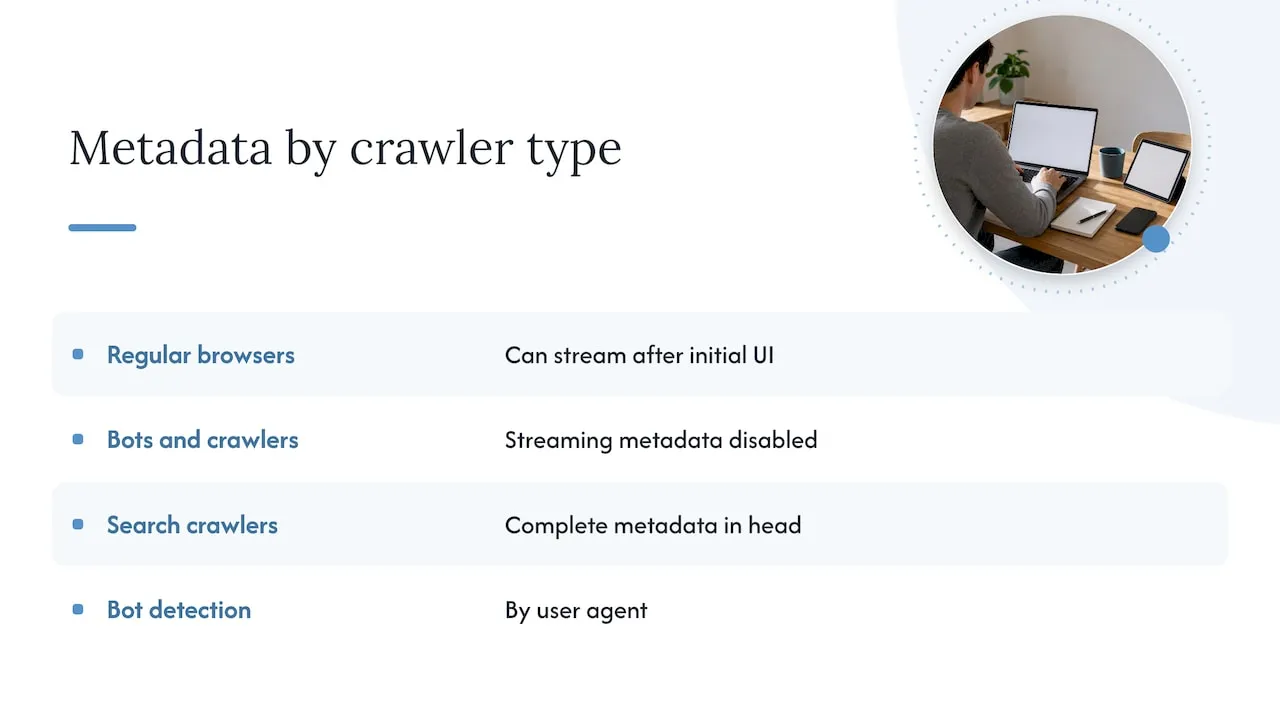
Next.js can stream metadata after the initial UI for regular browsers. The docs state that streaming metadata is disabled for bots and crawlers that expect metadata in the <head>, and that they are detected by user agent. Search crawlers still get complete metadata in the head. Verify this on your own deployment rather than assuming it.
Teams that want to catch missing or duplicated titles and descriptions across many routes can run recurring technical checks. An automated tool such as BabyLoveGrowth’s technical audit and structured data tooling can flag these across a site, though you should still spot check the raw HTML yourself.
Structured data in the server response
JSON-LD is how you tell Google that a page is a service, an article, a local business or a FAQ. Google’s documentation on generating structured data with JavaScript says it can be done with JavaScript, and also warns about side effects. For Product markup it notes dynamically generated markup can make Shopping crawls less frequent.
The safer route in RSC is to render the script tag on the server:
<script
  type="application/ld+json"
  dangerouslySetInnerHTML={{ __html: JSON.stringify(jsonLd) }}
/>
Put it in the Server Component for the page. It is then in the first response and does not wait on rendering. Escape < characters in the serialized string if any field holds user-generated text.
Internal links and navigation
Crawlers follow <a href> elements. Google Search Central says links injected by JavaScript can be found, but links present in the server HTML are found sooner and more reliably.
Checklist:
- Use
next/link, which renders a real anchor tag with anhref. - Do not navigate with
onClickandrouter.pushfor pages you want indexed. - Render main navigation, footer links and related-page lists in Server Components.
- Avoid menus that fetch their links after load.
For service businesses with many location or specialty pages, this is where RSC pays off. Every page can link to its siblings in the first HTML, so crawl paths do not depend on script execution.
Core Web Vitals and bundle size
Google’s Core Web Vitals are measured at the 75th percentile of real page views. The web.dev thresholds for a good score:
| Metric | Good | Poor |
|---|---|---|
| Largest Contentful Paint (LCP) | 2.5 s or less | Above 4 s |
| Interaction to Next Paint (INP) | 200 ms or less | Above 500 ms |
| Cumulative Layout Shift (CLS) | 0.1 or less | Above 0.25 |
How RSC relate to each:
- LCP. Server Components send no JavaScript for themselves, so initial bundles shrink and the main content paints sooner. Images and fonts still matter: size the hero image, preload it, and avoid render-blocking third-party scripts.
- INP. Poor INP usually comes from too much client-side interactivity and heavy script execution. This is the metric that punishes
'use client'on large trees. - CLS. RSC do not fix layout shift. Reserve space for images, embeds and late-loading banners.
Streaming with Suspense
If one part of a page depends on a slow data source, wrap it in <Suspense> or add a loading.js file. The loading.js convention shows an instant loading state from the server while the content of a route segment streams in. Keep primary content, the H1 and the main copy outside slow boundaries so they arrive in the initial payload.
Avoid dynamic rendering workarounds
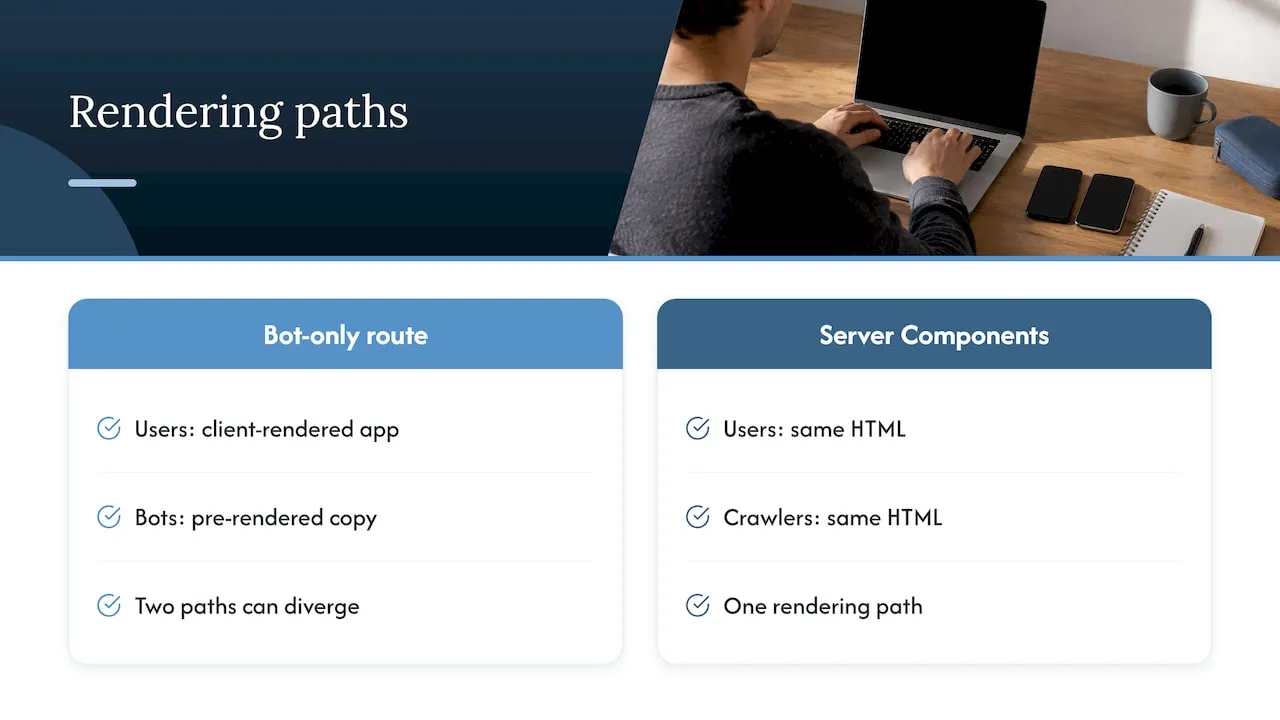
Some teams keep a client-rendered app and serve a pre-rendered copy to bots. Google’s guidance on dynamic rendering calls it a workaround rather than a long-term solution. It adds a second rendering path to maintain and a second place for content to diverge.
RSC solve the same problem by default. Users and crawlers get the same HTML. If you are migrating from a single-page app, moving content routes to Server Components is the cleaner fix than adding a bot-only layer.
Our perspective
We build service business sites as custom-coded React frontends, and the same pattern shows up in audits of older sites: the content exists, but it is delivered in a way that slows indexing and conversion.
Three positions we hold:
- Server first, always. Content pages are Server Components. Interactivity is opt-in, one small component at a time. This is a rendering decision, but it is also a conversion decision. A faster page with copy in the HTML serves both the crawler and the lead.
- SEO architecture is part of the build. Metadata functions, JSON-LD, canonical URLs, internal link structure and route design are specified before the first component is written. Retrofitting them after launch costs more and leaves gaps.
- Templates hide the problem. Page builders and theme-based sites often ship large amounts of script for features the page does not use. Custom code lets us control exactly what reaches the browser.
Our background is enterprise CRM and lifecycle marketing, and that shapes how we treat a website. A site is the front of a system: forms feed lead routing, lead routing feeds CRM, and CRM feeds follow-up. An SEO win that brings traffic to a page whose form is slow or broken does not produce revenue. We design the page and the pipeline together.
- Jeremy
Common mistakes
'use client'at the top ofpage.tsx. It blocksgenerateMetadatain that file and pushes the whole page into the client bundle.- Fetching content in
useEffect. The server HTML will not contain it. Fetch in the Server Component instead. - Client-only navigation. Menus built from state after load, or
onClickhandlers instead of links. - Slow
generateMetadata. Heavy queries here delay the first byte. Memoize or cache. - JSON-LD added by a tag manager. Move it to the server render.
- Missing canonicals on parameterized URLs. Filters and tracking parameters create duplicates. Google’s page on specifying a canonical lists the methods, in order of strength.
- Content hidden behind interaction. Text that loads only after a click or tab switch may never be seen. Render it in the HTML and hide it with CSS if the design needs it.
How to verify what Google sees
- Run
curl -s https://yoursite.com/pageand search the output for your H1, main copy, canonical, title and JSON-LD. If they are not there, a crawler’s first pass does not see them. - Use the URL Inspection tool in Search Console and compare the rendered HTML with the source.
- Check Core Web Vitals field data in Search Console, not only lab scores.
- Crawl the site with JavaScript disabled and confirm every important URL is still reachable by links.
- Review the build output. Large first-load JavaScript on a content route points to a stray
'use client'.
Where we can help
If your site is a template build, a single-page app, or a Next.js project with client components everywhere, we can audit and rebuild it as a custom-coded, server-first site. See our web design and development services for what a build covers, including conversion-focused UX and SEO architecture. After launch, our website maintenance plans cover performance and security upkeep: Managed Hosting is $99 per month, Webmaster is $250 per month, and Performance Plus is $750 per month.
FAQ
Are React Server Components better for SEO than client-side rendering?
Yes, for content discovery. Server Components put content, links and metadata in the first HTML response, so crawlers do not need to execute JavaScript to see them. Google can render JavaScript, but that step is slower and less predictable.
Can I use generateMetadata in a Client Component?
No. The metadata object and generateMetadata are supported only in Server Components. Keep the route’s page.tsx or layout.tsx on the server and import interactive pieces as client components.
Do Server Components improve Core Web Vitals?
They can help LCP by cutting the JavaScript sent to the browser. INP depends on how much client-side code runs, so it improves when Client Components are small and few. CLS is unaffected by RSC and needs layout discipline.
Should I add dynamic rendering for bots?
No. Google describes dynamic rendering as a workaround, not a long-term solution. With Server Components, users and crawlers already receive the same HTML.
Sources
- Next.js: Server Components
- Search Engine Land: JavaScript SEO guide
- Next.js: The Server and Client Boundary
- Next.js: Metadata and OG images
- Next.js: generateMetadata
- Google Search Central: Generate structured data with JavaScript
- Google Search Central: JavaScript SEO basics
- web.dev: How the Core Web Vitals thresholds were defined
- Next.js: loading.js
- Google Search Central: Canonical URLs