Disaster Recovery for Your Website: A Practical Plan

A website disaster recovery plan is a written, tested procedure for restoring your site, its data and its lead capture after a failure, within a time limit you chose in advance. It has five parts: defined recovery targets, backups stored in more than one place, a documented restore runbook, named owners, and a test schedule. Without the last two, the first three usually fail.
This guide is for owners and managers of service businesses whose website is the main source of inquiries. It is not about FEMA or relief programs for people affected by hurricanes or floods. If that is what you need, go to disasterassistance.gov.
TL;DR
- Set two numbers first: Recovery Time Objective (RTO, how long the site can be down) and Recovery Point Objective (RPO, how much data you can lose).
- Protect revenue paths first: lead forms, booking, checkout, CRM connections. Static pages come second.
- Keep at least one backup copy disconnected from your primary environment, because ransomware can reach backups that sit on the same network.
- A completed backup job proves nothing. Only a restore to a staging environment proves recoverability.
- Assign every gap found in testing to a named owner with a deadline.
Table of Contents
- 1. What a website disaster actually looks like
- 2. Step 1: Set recovery targets (RTO and RPO)
- 3. Step 2: Inventory everything the site depends on
- 4. Step 3: Build a backup structure that survives an attack
- 5. Step 4: Write the restore runbook
- 6. Step 5: Test restores, not backups
- 7. Our perspective: recovery starts with how the site is built
- 8. What this costs and who should own it
- 9. Checklist
- FAQ
- Sources
1. What a website disaster actually looks like
Most website disasters are not hurricanes. They are ordinary failures with expensive consequences:
- A plugin or code update breaks the site or the contact form.
- A hosting provider has an outage or suspends an account.
- Ransomware or malware encrypts or defaces files.
- Someone deletes a database table, a DNS record or a production folder.
- An expired domain or SSL certificate takes the site offline.
- A regional event, such as a storm, cuts power or connectivity at a data center or at your office.
CISA lists cyberattacks, system failures, accidental deletion and natural disasters as causes of data loss that can halt operations. The same page cites the 2025 Verizon Data Breach Investigations Report: ransomware was involved in 44% of investigated breaches.
For a service business, the cost of downtime is concrete. Every hour the site or its forms are down is an hour of missed calls, missed quote requests and missed bookings. Florida businesses add one more scenario: hurricane season. If your hosting, your office and your staff are all in one region, one storm can take out all three.
2. Step 1: Set recovery targets (RTO and RPO)
Two numbers drive every other decision.
- RTO (Recovery Time Objective): the maximum acceptable downtime.
- RPO (Recovery Point Objective): the maximum acceptable data loss, measured in time since the last good copy.
These definitions are standard in Webflow’s website recovery guide, which ties backup frequency and redundancy to them.
Example for a home services company with a quote form:
| Asset | RTO | RPO | Why |
|---|---|---|---|
| Lead intake forms | 1 hour | 15 minutes | Each lost submission is a lost job |
| CRM sync and lead routing | 4 hours | 1 hour | Leads can queue, but follow-up speed matters |
| Core service pages | 4 hours | 24 hours | Content changes rarely |
| Blog and archive | 48 hours | 7 days | Low revenue impact |
The figures above are an illustration, not a standard. Your numbers depend on how many inquiries arrive per hour and what a lead is worth to you.
Prioritize by business value
CISA’s Cyber Essentials toolkit recommends automatic, continuous backups of business-critical data and system configurations. Applied to a website, that means the revenue path gets the tightest targets. Not every page needs the same recovery resources.
3. Step 2: Inventory everything the site depends on
A site is more than files. List each dependency and where its copy lives.
- Source code: the repository, build configuration and deployment scripts.
- Database and uploads: content, user records, form submissions, media.
- Environment variables and secrets: API keys, payment and email credentials. Store them in a password manager or secrets vault, not in the backup of the site itself.
- DNS records and registrar access: without these, a restored site has nowhere to go.
- SSL certificates and renewal method.
- Third-party connections: CRM, email platform, analytics, scheduling, payment.
- Redirect rules and server configuration.
- Logins and recovery contacts: who holds the hosting, registrar and CRM accounts, including a backup contact.
Missing credentials are among the most common recovery blockers. They are also the cheapest to fix.
4. Step 3: Build a backup structure that survives an attack
Follow the layered approach
A workable pattern for most service business sites:
- Daily or more frequent automated backups of the database and uploads, matched to your RPO.
- Version-controlled code, so the application can be rebuilt from the repository.
- Backups in at least two locations, one in a different provider or region from production.
- One immutable or offline copy. Security practitioners argue that immutable or air-gapped backups are essential because ransomware can encrypt backup files it can reach. Storing one copy disconnected from the primary network gives you a guaranteed restore point.
- Retention long enough to catch slow problems. If malware sits unnoticed for two weeks, a seven-day retention window only gives you infected copies.
Platform matters
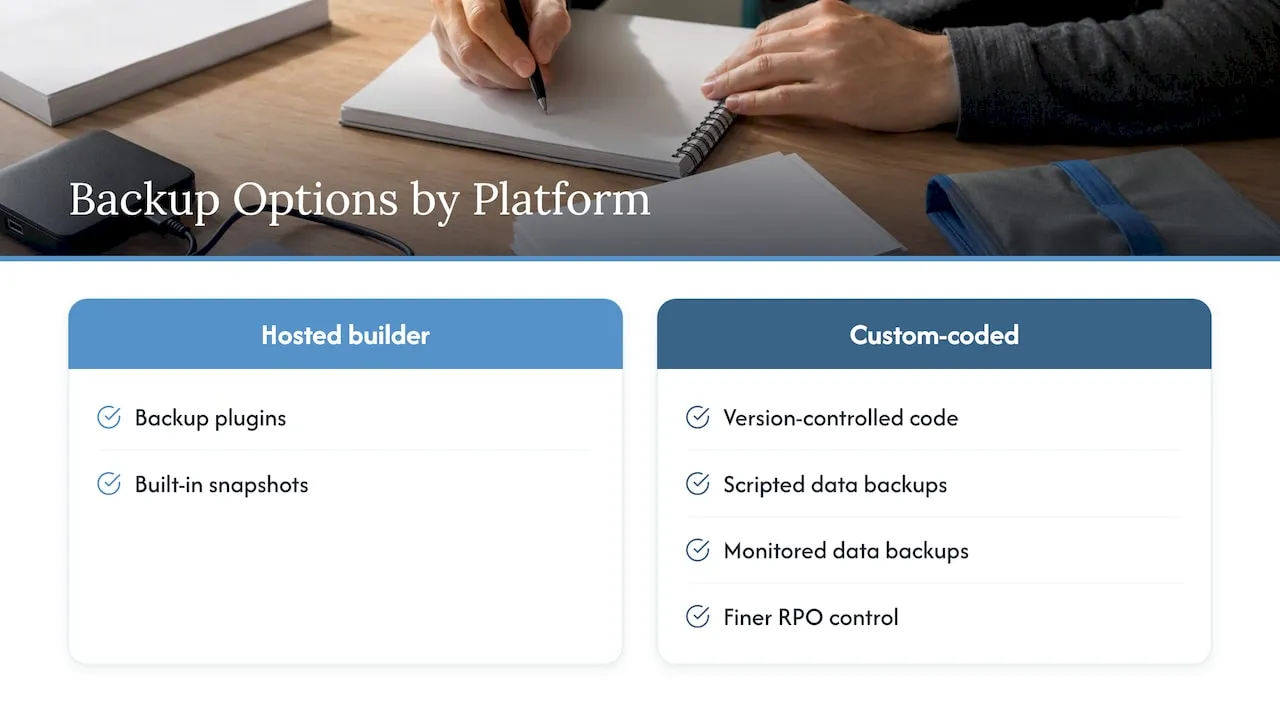
Backup options depend on how the site is built. Sites on hosted builders typically rely on plugins or built-in snapshots. If you run on Wix, this overview of backup plugin options for Wix sites shows what that route looks like. Custom-coded sites work differently: code lives in version control, and data backups are scripted and monitored, which gives you finer control over RPO.
5. Step 4: Write the restore runbook
A runbook is a numbered procedure that a person unfamiliar with the site could follow under stress. It should fit on a few pages.
Minimum contents:
- Trigger: who declares an incident, and on what evidence (site down for 10 minutes, form failures, defacement).
- Contacts: developer, hosting support, registrar, CRM administrator, whoever approves customer communication.
- Decision tree: restore in place, or fail over to a clean environment? If you suspect compromise, rebuild clean and rotate every credential before restoring data.
- Restore sequence: infrastructure, code, database, uploads, secrets, DNS, SSL, integrations.
- Verification checklist: the pages and functions to test before reopening.
- Communication: a holding message for the site or social profiles, a script for staff answering phones, and a note for customers with open requests.
- Post-incident review: what failed, what to change.
Keep a printed or offline copy. A runbook stored only on the site that is down is not available when needed.
Plan for lead capture during downtime
Decide in advance what visitors see. A static fallback page with a phone number, a click-to-call button and an alternate intake form (for example, a hosted form on a separate service) keeps inquiries flowing while the main site is restored. This is cheap to build and often the most valuable single item in the plan.
6. Step 5: Test restores, not backups
Most businesses treat a successful backup report as proof of recovery. It is not. Practitioners who run these programs test by restoring to a staging environment and checking that database connections, license keys, redirects and form functionality survive the restore. File integrity checks alone miss those failures.
The same source describes a three-tier cadence that fits a website:
| Cadence | Test type | What it checks |
|---|---|---|
| Quarterly | Tabletop exercise | Roles, decision authority, communication |
| Semi-annual | Functional test | Backup integrity and restore procedure |
| Annual | Full-scale failover simulation | RTO and RPO targets under realistic conditions |
Disaster recovery plans often fail on human and procedural gaps rather than technical ones, and tabletop exercises are how those gaps surface. A tabletop can be a 45-minute meeting: “The site was encrypted at 2 a.m. Saturday. Who gets the alert? Who decides? Who calls customers?”
Turn findings into owned actions
After every test, list each gap and assign it to one named person with a deadline. Technical gaps (a missing credential, an untested backup of a form plugin) and procedural gaps (nobody knows who approves a customer notice) both go on the list. Gaps without owners tend to stay unfixed.
7. Our perspective: recovery starts with how the site is built
We build and maintain custom-coded websites and the CRM and email systems behind them for service businesses. Our background includes lifecycle and CRM engineering for large consumer brands, and that shapes how we think about recovery: a website is part of a revenue system, not a brochure.
Three positions follow from that work.
- Recovery targets should follow the lead path. A form that submits but fails to reach the CRM is a silent outage. We treat form delivery, lead routing and CRM sync as first-class assets with their own monitoring and restore steps.
- Clean architecture shortens recovery. A site built from version-controlled code with scripted deployment can be rebuilt on new infrastructure from a repository. A site assembled from stacked plugins and page-builder layers has more hidden state to recover.
- Maintenance is part of disaster recovery. Most incidents begin as neglected updates, expired certificates or unmonitored backups. Ongoing upkeep reduces how often the plan is used at all.
If you do one thing this quarter, run a restore to staging and write down everything that surprised you.
- Jeremy
8. What this costs and who should own it
The direct cost of a plan is mostly time: a few days to document, plus storage and monitoring fees. The larger cost is deciding who is responsible.
Three common ownership models:
- In-house generalist. Works when someone technical has the time. Risk: the plan lives in one person’s head.
- Hosting provider only. Providers typically protect their infrastructure, not your application logic, integrations or DNS. Read the terms to see what is actually backed up and how fast it can be restored.
- Development partner with a maintenance agreement. One team that knows the code, the integrations and the restore steps.
We offer the third model through website maintenance plans: Managed Hosting at $99 per month, Webmaster at $250 per month and Performance Plus at $750 per month. If your site is outdated or you need a rebuild with recovery designed in, see our web design and development services. Florida businesses can also start from our Delray Beach page.
9. Checklist
Use this list as a quarterly review.
- [ ] RTO and RPO written for each critical asset
- [ ] Dependency inventory current (code, data, secrets, DNS, SSL, integrations)
- [ ] Backups in two locations, one immutable or offline
- [ ] Retention long enough to predate a slow compromise
- [ ] Runbook current, printed copy stored offline
- [ ] Fallback page with phone and alternate intake form ready
- [ ] Last restore-to-staging test dated and documented
- [ ] Every gap has an owner and a deadline
- [ ] Registrar, hosting and CRM account access held by at least two people
FAQ
How often should I back up my website?
Match it to your RPO. If losing a day of form submissions or content is acceptable, daily backups work. If each lead matters, back up the database more often or log submissions to a second system as they arrive. CISA recommends automatic backups rather than manual ones.
What is the difference between a backup and disaster recovery?
A backup is a copy of data. Disaster recovery is the whole capability to restore service: targets, backups, runbook, people and testing. A backup you have never restored is an assumption, not a recovery plan.
How often should I test my website disaster recovery plan?
A commonly recommended cadence is quarterly tabletop exercises, semi-annual functional restore tests and an annual full failover simulation. Small sites can run a lighter version, but the restore-to-staging test should still happen at least twice a year.
Does my hosting company handle disaster recovery for me?
Only partly. Many hosts back up their servers, but may not cover your DNS, third-party integrations, secrets or the steps to verify forms after restore. Ask what is backed up, how long restores take and whether you can download copies stored elsewhere.