CRM Migration Plan: 8 Exit Gates and a Mock Cutover for Project Leads

A complete CRM migration plan defines eight phases: Assess, Cleanse, Map, Test, Migrate, Validate, Cutover, and Hypercare, with 2 to 3 weeks of planning and a 2 to 4 week hypercare window built into the schedule. Governance, sandbox testing, and a rehearsed mock cutover are not optional extras. They are the structure that keeps a migration from becoming a six-month cleanup project.
TL;DR:
- Archive records untouched for two to three years before cleansing, and deduplicate a frozen source snapshot so records do not shift during review.
- Test with production scale and record mix, then rehearse the mock cutover using the same data, tools, and team planned for go live.
- Investigate object count discrepancies above 0.1%, and verify field accuracy by checking 50 to 100 sampled records per object.
- Apply final delta loads after the full migration, budget a 20% to 30% throughput buffer, and predefine rollback triggers and decision authority.
Table of Contents
- Phase-by-Phase Migration Plan From Assess to Hypercare
- Roles, Governance, and RACI for the Migration Team
- Data Cleansing, Deduplication, and Field Mapping Best Practices
- Testing Strategy: Sandboxes, Mock Cutovers, and Acceptance Tests
- Cutover Planning, Delta Loads, and Rollback Triggers
- Validation and Reconciliation: Deciding Go or No-Go
- Hypercare, Monitoring, and Handoff to Operations
- Common Migration Challenges and Practical Mitigations
- How Forefront Industries Operationalizes CRM Migrations
- Getting Started With a Migration Partner
- FAQ
- Sources
Phase-by-Phase Migration Plan From Assess to Hypercare
A CRM migration plan works as a sequence of gated phases. Each phase has a deliverable and an exit criterion, and the team does not move forward until that criterion is met.
- Assess. Build a full object inventory (contacts, accounts, deals, tickets, custom objects), map existing integrations, and record volumes per object. Deliverable: a scope document with success criteria. Exit criterion: stakeholders sign off on what moves, what gets archived, and what gets left behind.
- Cleanse. Apply a deduplication algorithm, set retention and archival rules, and produce golden records for each core object. Deliverable: a cleansed source dataset. Exit criterion: duplicate rate falls below an agreed threshold and golden record logic is documented.
- Map. Build a field mapping spreadsheet covering every source and target field, document transform logic (date formats, picklist values, currency), and sequence parent objects ahead of child objects. Deliverable: a signed-off mapping document. Exit criterion: every required target field has a source or default value.
- Test. Run the mapping against a sandbox migration, execute integration smoke tests, and walk through UAT scenarios with real business workflows. Deliverable: a test results log. Exit criterion: zero critical defects and all integration touchpoints confirmed working.
- Migrate. Execute production jobs in sequence, parent objects first, then children and relationships, using a delta strategy for anything created after the initial load. Deliverable: a migration run log. Exit criterion: job completion with no failed batches.
- Validate. Reconcile record counts, run automated comparison scripts, and spot-check sampled records for field-level accuracy. Deliverable: a validation report. Exit criterion: discrepancies fall within agreed tolerance.
- Cutover. Rehearse a mock cutover with the same data, tools, and team, finalize the schedule, and define rollback triggers and who holds decision authority. Deliverable: a cutover runbook. Exit criterion: the mock cutover completes without a rollback trigger firing.
- Hypercare. Assign an owner, run daily standups during the first week, maintain an error log, and define the criteria that close the phase. Deliverable: a hypercare closure report. Exit criterion: error rate drops below the defined threshold for a sustained period.
Each phase feeds the next. Skipping the mapping sign-off to save a week in Assess almost always costs two weeks later in Validate, when nobody can explain why a field is empty.
Roles, Governance, and RACI for the Migration Team
A migration plan needs named owners, not just named tasks. Four roles cover most projects:
- Migration lead: owns the schedule, coordinates phases, and escalates blockers.
- Data owner: approves cleansing rules, survivorship logic, and archival decisions.
- Technical owner: builds and runs the mapping, transformation, and load jobs.
- Business stakeholders: validate that migrated data supports their daily workflows.
A sample RACI for three decisions:
- Mapping sign-off: data owner is Accountable, technical owner is Responsible, business stakeholders are Consulted.
- Cutover go/no-go: migration lead is Accountable, technical owner and data owner are Responsible, business stakeholders are Informed.
- Rollback decision: migration lead is Accountable, technical owner is Responsible, executive sponsor is Consulted.
Escalation should trigger automatically once a defect is classified as critical or a reconciliation discrepancy exceeds the agreed tolerance.
Data Cleansing, Deduplication, and Field Mapping Best Practices
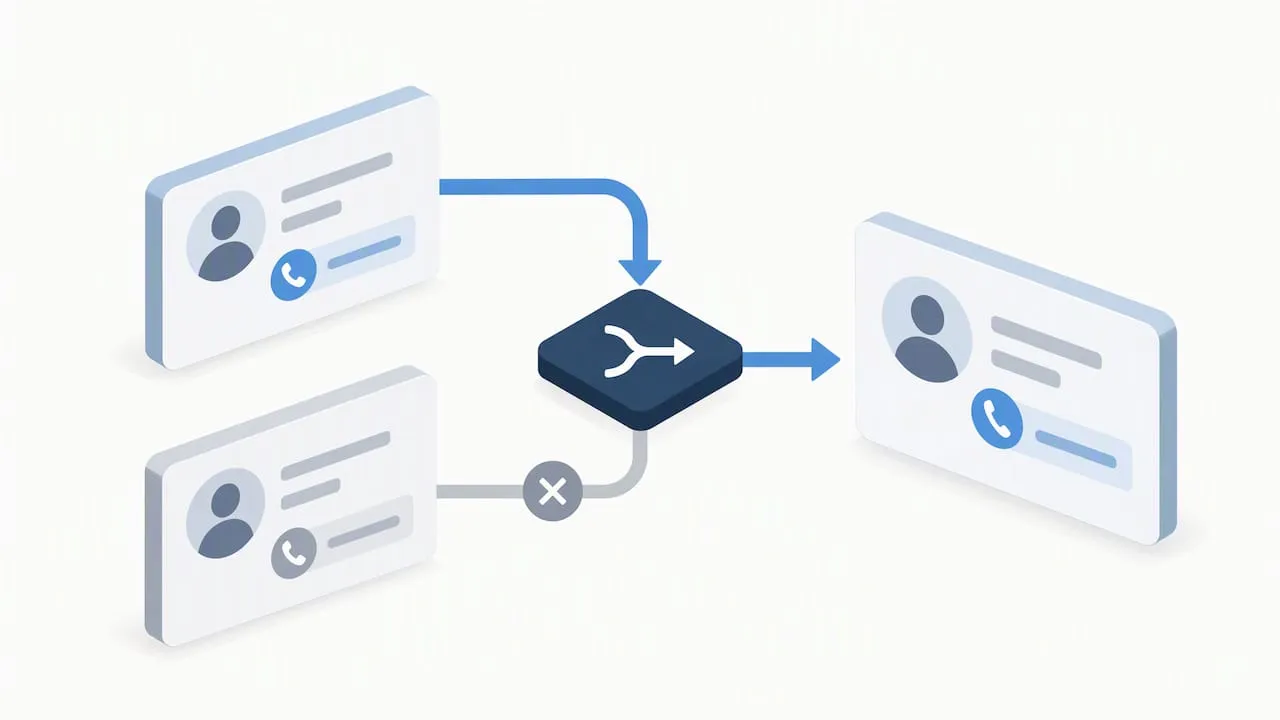
Cleansing decisions made before the load prevent cleanup work after it. Set retention and archival rules first: anything untouched for a defined period (commonly two to three years) gets archived rather than migrated, which shrinks the dataset and the risk surface.
- Document dedupe logic explicitly: match on email and company domain for contacts, on normalized name and tax ID for accounts, and define which record wins when two match (typically the most recently updated, non-blank field wins).
- Normalize picklists before mapping: a “Lead Status” field with twelve inconsistent values in the source system should collapse to the five or six values the target system actually uses.
- Standardize formats for phone numbers, currencies, and dates before the mapping spreadsheet is finalized, not during the load.
- Sequence parent objects ahead of child objects (accounts before contacts, contacts before deals) so relationship IDs resolve correctly on the first pass.
- Decide how attachments and notes migrate separately from structured fields. Large attachment volumes often need their own job and their own throughput estimate.
Pro Tip: Run deduplication against a frozen snapshot of the source data, not a live system, so matches do not shift while the cleansing team is working.
Survivorship rules deserve their own line item in the mapping document. When two duplicate contact records disagree on a phone number, the rule should state which source wins, rather than leaving it to whoever happens to run the merge.
Testing Strategy: Sandboxes, Mock Cutovers, and Acceptance Tests
Testing is where a migration plan earns its credibility before go-live. A sandbox pass with ten sample records tells the team almost nothing about how the target system behaves at production volume.
- Use representative data that mirrors production volumes and record-type distribution, not a convenient small subset.
- Run a full mock cutover with the same data, tools, and team members who will execute the real event, as close to the actual go-live date as scheduling allows.
- Execute acceptance tests covering reconciliation accuracy, parent-child association integrity, and integration smoke tests against every connected system.
- Size the test environment for peak load and build in throughput buffers, since underestimating runtime during testing tends to repeat the same mistake during the real cutover.
A mock cutover that uncovers a broken integration is a success, not a failure. That is the entire point of running one before the real date.
Cutover Planning, Delta Loads, and Rollback Triggers
Cutover is the highest-risk phase because it runs against live production data with a fixed deadline. Schedule it during a genuinely low-activity window, such as a weekend or an overnight block, and communicate the schedule to every affected team well in advance.
- Run the full migration ahead of go-live, then apply periodic delta loads to capture records created or changed after the initial pass, finishing with a final freeze and last delta immediately before cutover.
- Measure CRUD throughput during testing and add a 20 to 30% buffer for monitoring overhead when sizing the production run.
Statistic: Runtime and throughput estimates often understate monitoring overhead by 20 to 30%, which is why that margin belongs in every cutover schedule, not just the risky ones.
- Define rollback triggers in advance: a reconciliation failure above tolerance, a broken integration, or a critical defect found mid-cutover should each have a pre-agreed response.
- Verify backups are complete and restorable before the freeze begins, and name the person with authority to call a rollback.
Validation and Reconciliation: Deciding Go or No-Go
Validation is where the team decides, with evidence, whether cutover proceeds. Run these checks before declaring go-live:
- Reconcile record counts by object between source and target, flagging anything with a discrepancy above 0.1% for investigation before sign-off.
- Run automated row-level comparisons on unique identifiers for large objects, where manual review is impractical.
- Pull sampled spot checks of 50 to 100 records per object and verify field-level accuracy against the source.
- Collect formal sign-off from each business stakeholder confirming their workflows function against the migrated data.
No single check is sufficient on its own. Count reconciliation catches missing records; spot checks catch wrong values that still show up as the right count.
Hypercare, Monitoring, and Handoff to Operations
Hypercare is the bridge between go-live and business as usual, and it needs the same structure as the earlier phases.
- Assign a dedicated hypercare owner and run daily standups during the first week to catch issues before they compound.
- Keep the source CRM read-only during this window when the business can tolerate it, so no new data drifts out of sync.
- Log every issue with reproduction steps and a priority level, so patterns are visible rather than anecdotal.
- Close hypercare once error rates stay below the agreed threshold for a sustained period, and document lessons learned before the project team disbands.
Common Migration Challenges and Practical Mitigations
Most migration problems trace back to a handful of recurring risks.
- Dirty data: profile the source early, set retention and archival rules before cleansing, and run automated dedupe rather than manual review.
- Integration breakage: cover every connected system with smoke tests and rehearse the full cutover, not just the data load.
- Performance shortfalls: test throughput at production volume and split large loads across multiple jobs or a sized migration environment.
- Rollback ambiguity: define triggers and decision authority before cutover, not during it.
Pro Tip: Treat the mock cutover as the real rehearsal for rollback, too: practice calling it, not just executing the load.
How Forefront Industries Operationalizes CRM Migrations
Our background building enterprise CRM and lifecycle marketing systems shapes how we approach a migration: data integrity and mapping accuracy come before automation. We treat validation as a system to build, not a task to repeat.
- Jeremy
Getting Started With a Migration Partner
A migration plan is only as strong as the team executing it, and a second set of experienced hands changes the odds considerably. We run engagements as an audit, followed by a scoped proposal, followed by a pilot migration on a limited object set before the full cutover.
- We start with a systems audit to catalog objects, integrations, and data volume before any cleansing begins.
- Our Email & CRM Development work covers mapping, transformation logic, and lifecycle automation built around your actual workflows, not a generic template.
- Ongoing website and systems maintenance plans cover the hypercare period and beyond, so monitoring does not stop when the project team moves on.
If a migration is on your calendar, an audit is the fastest way to see where the plan needs to flex for your specific systems.
FAQ
What is a data migration plan?
A data migration plan is the documented set of phases, deliverables, and exit criteria that govern moving data from one system to another. For a CRM, that typically means the eight phases of Assess, Cleanse, Map, Test, Migrate, Validate, Cutover, and Hypercare, each with named owners and sign-off requirements.
What are the four types of CRM?
CRM platforms are generally grouped into operational, analytical, collaborative, and strategic categories, reflecting whether the system’s main job is running day-to-day sales and service, analyzing customer data, coordinating across teams, or shaping long-term customer strategy. Most commercial CRMs blend more than one of these functions rather than fitting a single category cleanly.
Will CRM be replaced by AI?
CRM platforms are increasingly incorporating AI features for scoring, routing, and automation rather than being replaced by AI outright. The underlying need to store, structure, and govern customer data persists regardless of how much automation sits on top of it, which is why a sound migration plan still matters.
How can I migrate data in D365FO?
Migrating data in Dynamics 365 Finance and Operations follows the same phase structure as other CRM migrations, with particular attention to configuration data and golden configuration environments before the main data load. Microsoft’s implementation guidance recommends testing in dedicated SIT and UAT environments, with a high-tier migration environment for large datasets.