Automate Client Onboarding: Where to Start and What It Saves

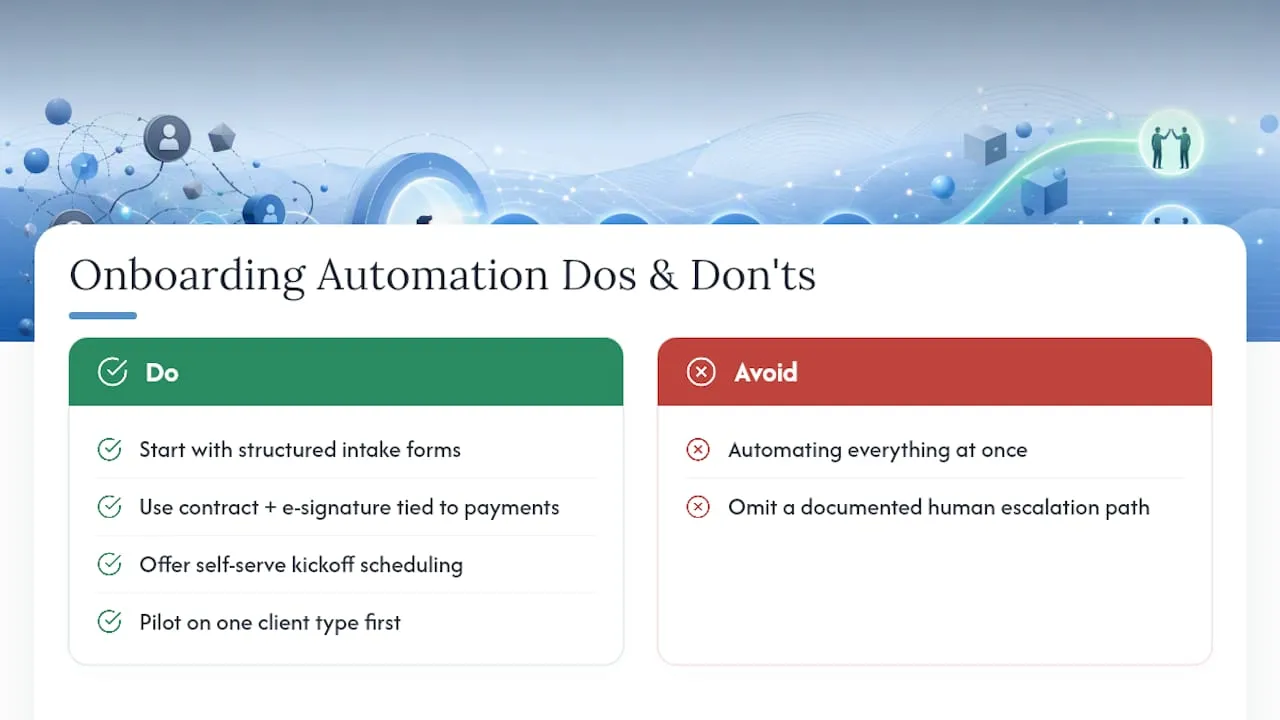
Start with three things: structured intake forms, contract and payment capture tied to e-signature, and self-serve kickoff scheduling. Those three pieces of client onboarding automation touch every new engagement, generate the most manual busywork, and are the fastest to automate with existing tools. Getting them right shrinks onboarding from a multi-week back-and-forth into a process a client completes in a single sitting.
The payoff shows up fast. Signature-triggered workflows can compress onboarding from weeks to days while improving completion rates, and automating routine administrative steps reduces the labor hours a team spends on repetitive tasks. Before you build anything, know the categories you’ll need:
- A form or portal tool with conditional logic and CRM mapping
- E-signature software that fires downstream triggers on completion
- A payment processor that can vault a method and auto-generate the first invoice
- A scheduling tool tied to real staff availability
- A workflow engine or middleware layer connecting all of it
Pro Tip: Map these five categories to your current tools before shopping for new software. Most firms already own two or three pieces and just need the connective layer.
Key Takeaways
Client onboarding automation works best when it targets intake, contracts, and payments first, is piloted narrow, and keeps human checkpoints for judgment calls.
| Point | Details |
|---|---|
| Automate the big three first | Structured intake, e-signature plus payment capture, and self-serve kickoff scheduling deliver the fastest gains. |
| Pilot before you scale | Test on one client type for four to six weeks before rolling out firmwide. |
| Track five core metrics | Onboarding time, completion rate, days to first invoice, collection lag, and staff hours recovered. |
| Keep humans in judgment calls | Preserve manual steps for scope negotiation and strategic kickoff conversations. |
| Custom integration beats generic portals | Forefront Industries builds onboarding automation directly into CRM and lifecycle systems like Salesforce Marketing Cloud and Braze. |
Table of Contents
- What Is Client Onboarding Automation and Why It Pays Off
- Core Onboarding Steps to Automate First
- Which Tools and Integrations Do You Actually Need?
- How Do You Roll Out Onboarding Automation Step by Step?
- What Metrics Prove Onboarding Automation Is Working?
- How Forefront Approaches Client Onboarding Automation
- What the Conventional Onboarding Advice Gets Wrong
- Ready to Automate Your Onboarding the Right Way?
- Frequently Asked Questions
- Sources
What Is Client Onboarding Automation and Why It Pays Off
Client onboarding automation replaces manual, email-driven setup steps with connected digital workflows: forms that populate your CRM automatically, contracts that trigger invoicing on signature, and scheduling that fills itself in around your team’s calendar. The business case rests on three levers: staff time recovered, client experience protected, and cash collected sooner.
On the labor side, automating repetitive administrative workflows reduces the hours staff spend on manual data entry and follow-up, hours that typically go to chasing signatures, re-keying intake data, and scheduling calls by email. That time adds up across dozens of onboardings a year.
Client experience improves for a simpler reason: fewer places for a prospect to lose momentum. Automated onboarding standardizes the touchpoints a new client experiences, which matters because early friction is when deals go cold or new clients start questioning whether they picked the right vendor.

Revenue benefits follow directly. A structured onboarding flow that connects signature to invoicing shortens the gap between “contract signed” and “first invoice sent,” which shortens the gap to “invoice paid.” Faster starts also mean your delivery team gets moving while the client is still enthusiastic, not three weeks later after chasing paperwork.
Automation isn’t the right call everywhere, though. Complex scope negotiations, custom pricing discussions, and strategic kickoff conversations still need a human in the room. Automate the paperwork around those conversations, not the conversations themselves.
Core Onboarding Steps to Automate First
Not every step deserves the same attention. Here’s the order that produces the fastest wins, based on where manual work concentrates in a typical service business onboarding.
- Intake forms. Replace open-ended email questionnaires with structured forms that use conditional logic (only show billing questions to clients who chose a paid tier, for instance) and field validation. Map every field directly to your CRM so no one retypes data.
- Contracts and e-signature. Set the signed contract as a trigger, not an endpoint. Signature should automatically create the CRM engagement record and kick off the billing sequence in the same motion.
- Payments. Vault the client’s payment method at signing and auto-generate the first invoice. Build reconciliation into the flow so a missed payment surfaces immediately instead of at month-end.
- File collection. Use secure upload portals with naming and folder rules built in, not a shared inbox where documents get buried.
- Kickoff scheduling. Let clients book directly against real team availability, with time zones handled automatically. This alone eliminates the email chain that usually takes three or four rounds.
- System provisioning. Have the CRM record, project folder, and any client-facing access created automatically when the contract signs. Manual account setup is where new clients quietly wait days for no reason.
- Reminders and escalation. Build a reminder cadence across email and SMS for unsigned documents or incomplete forms, but set a rule that routes stalled onboardings to a human after two or three automated nudges.
Pro Tip: Build the escalation rule before you launch anything. A workflow with no human fallback just automates the frustration instead of removing it.
Which Tools and Integrations Do You Actually Need?
The tool categories are consistent across most service businesses: intake forms or portals, e-signature, payment processing, a CRM, file storage, a scheduling tool, and a workflow engine or API layer to connect them. For firms handling regulated services, embedding identity or KYB/KYC verification directly into onboarding reduces manual review overhead instead of treating it as a separate compliance step bolted on afterward.
Two architectural patterns cover most builds. The first is an all-in-one client portal that bundles forms, e-signature, payments, and file sharing under one login. It’s faster to launch and easier to maintain, but you’re locked into that vendor’s feature set. The second is an orchestrated stack: best-of-breed tools for each function, connected through a middleware or automation layer. This gives you more flexibility and lets you swap a weak tool without rebuilding everything else, at the cost of more integration work upfront.
Security and compliance deserve real scrutiny either way. Look for encryption at rest and in transit, clear data retention policies, and SOC 2 attestation where the vendor is handling sensitive client data or payment details. Treat vendor compliance claims as a starting point for verification, not a final answer.
Before committing to any tool, run through this checklist:
- Does it expose a real API, or only pre-built one-way integrations?
- Can you white-label the client-facing experience?
- What’s the actual admin experience for your team, not just the demo?
- What SLA and support tier applies if something breaks mid-onboarding?
- Who owns the templates and workflow logic if you switch vendors later?
How Do You Roll Out Onboarding Automation Step by Step?
A rushed rollout is how good automation projects turn into abandoned software licenses. Work through these six phases in order, and resist the urge to automate everything at once.
- Audit your current process. Map every step a new client goes through today, from first contract to first deliverable. Note where things stall, and capture baseline numbers: current completion rate and average days to first invoice.
- Define pilot scope and KPIs. Pick one client type or service package, not your whole book of business. Set the pilot window at four to six weeks, with clear success metrics tied to your baseline audit.
- Design the workflow. Decide which fields, documents, and triggers matter, who has access to what, and which system is the source of truth for each piece of data. Ambiguity here causes most mid-build rework.
- Build using templates. Use existing templates in your chosen tools and an orchestrator to connect them rather than custom-coding integrations from scratch for a pilot. Keep the scope narrow on purpose.
- Test with real clients. Run internal test cases first, then go live with a handful of actual onboardings. Document every point of friction, however minor.
- Roll out in phases. Expand by client tier or service line rather than switching everyone over at once, and keep documented exceptions and a human escalation path for edge cases the workflow doesn’t handle.
Once live, someone needs to own it. Build a simple monitoring dashboard, assign ongoing maintenance to a specific person or team, and review performance quarterly.
Pro Tip: Resist scope creep during the pilot. The point is proving the model works on one client type before you spend engineering time making it handle every exception in your business.
What Metrics Prove Onboarding Automation Is Working?
Five numbers tell you whether the investment is paying off: onboarding time in hours, completion rate as a percentage, days to first invoice, invoice collection lag, and staff hours recovered per month. Track them before and after your pilot so the comparison is real, not anecdotal.
A simple payback formula works for most service businesses: multiply hours saved per onboarding by your fully loaded hourly staff rate, multiply that by monthly onboarding volume, then add any measurable improvement in accounts receivable timing. Divide your automation build cost by that monthly figure to get payback in months.
| Metric | What to Track |
|---|---|
| Onboarding time | Hours from contract signed to fully provisioned client |
| Completion rate | Percentage of started intakes that finish without a manual nudge |
| Days to first invoice | Time gap between signature and invoice sent |
| Staff hours recovered | Monthly hours no longer spent on manual setup tasks |
Vendor case studies commonly cite significant time reductions once a workflow is standardized, though these are self-reported figures from marketing pages, not independent benchmarks, and results vary widely by how complex your current process is. Report the core five metrics to stakeholders monthly during the pilot, then quarterly once the process stabilizes.
How Forefront Approaches Client Onboarding Automation
Forefront Industries builds onboarding automation the same way it builds every custom system: audit the current process, design a workflow specific to that business, integrate it with the client's CRM and lifecycle marketing stack, pilot it narrow, then expand. That method draws on in-house enterprise CRM and lifecycle marketing work at Amazon across Ring, Blink, and Audible, on platforms including Salesforce Marketing Cloud and Braze, which is where the discipline of piloting narrow before scaling comes from.
A properly integrated onboarding system doesn’t just save hours. It changes how fast a client’s first project actually starts, which is the number that shows up in revenue.
Before scoping any onboarding build, ask a vendor these questions:
- Does the system expose real APIs for your existing tools?
- Who owns the workflow templates if you switch providers later?
- What’s the rollback plan if a step fails mid-onboarding?
- How is client data mapped between the CRM, payment processor, and storage?
What the Conventional Onboarding Advice Gets Wrong
Most onboarding automation advice treats the intake form as the hard part. It isn’t. The hard part is deciding which system owns which piece of client data once five tools are talking to each other, and most guides skip that entirely.
The bigger miss is treating automation as an all-or-nothing switch. The strongest results come from a narrow pilot on one client type, measured against real completion and invoicing numbers, not a firmwide rollout on day one. Automation works best when it keeps a small number of human checkpoints for judgment calls and automates everything else around them. Teams that try to remove every human touchpoint usually end up rebuilding the workflow six months later because it couldn’t handle the edge cases that show up in real client work.
If you’re prioritizing, start with the two steps that touch money and time directly: contract-to-payment and kickoff scheduling. Intake forms matter, but a slow contract-to-cash cycle costs more than a clunky questionnaire.
Ready to Automate Your Onboarding the Right Way?
Templates and off-the-shelf portals get you partway there, but most service businesses hit a wall when their onboarding needs to talk to an existing CRM, a custom pricing structure, or a lifecycle marketing system that wasn’t built with plug-and-play in mind. That’s where a custom build earns its cost back fastest.

Forefront Industries builds onboarding automation as part of custom web and CRM projects, connecting intake, e-signature, payments, and scheduling directly into enterprise platforms like Salesforce Marketing Cloud and Braze rather than forcing your process into a generic template. A discovery call typically maps your current onboarding bottlenecks and scopes a pilot engagement, the same audit-first approach used across every Forefront Industries build. If your onboarding process depends on a CRM or lifecycle marketing system that needs real integration work, start with custom web development built around how your business actually operates.
Frequently Asked Questions
What should I automate first in client onboarding? Start with structured intake forms, contract and e-signature tied to payment capture, and self-serve kickoff scheduling. These three areas generate the most manual work and offer the fastest measurable improvement.
How long does it take to implement onboarding automation? A focused pilot on one client type typically runs four to six weeks, with phased expansion to other client tiers over the following one to two months.
Does onboarding automation work for regulated service businesses? Yes. Identity and KYB/KYC verification can be embedded directly into the onboarding workflow, reducing manual review time while keeping compliance checks intact.
What’s the biggest mistake teams make when automating onboarding? Trying to automate everything at once instead of piloting on one client type first. It also helps to keep a documented human escalation path for onboardings that stall or don’t fit the standard flow.
Should I build a custom onboarding system or use an off-the-shelf portal? Off-the-shelf portals work for simple, standardized onboarding. Businesses with complex CRM needs, custom pricing, or enterprise lifecycle marketing systems usually get better long-term results from a custom-built integration.
Sources
- Automation can help reduce the cost of benefits administration - SHRM
- The Power of Automated Customer Onboarding - Mailchimp