Avoid GDPR Style Mistakes: CCPA Cookie Steps for CA Service Sites

CCPA does not require opt-in consent before placing most cookies on a California resident’s browser. It requires clear disclosure of what cookies collect, a working “Do Not Sell or Share My Personal Information” link, and recognition of Global Privacy Control signals. The first operational step is a cookie inventory: identify every cookie on your site and flag which ones feed advertising networks or data brokers, since those are the ones that trigger opt-out obligations.
TL;DR:
- CCPA applies to businesses with high revenue, extensive California consumer data, or significant income from sharing or selling personal data; smaller service providers often fall outside its scope.
- Cookies used for advertising, retargeting, or tracking typically qualify as a sale or share of personal information, triggering the requirement for a clear Do Not Sell or Share link and recognition of Global Privacy Control signals.
- Disclosures in the privacy policy must detail categories of data collected, their purpose, third-party recipients, and consumer rights, with links on the homepage for opting out without account creation.
- Minors under 16 require opt-in consent for data sharing or selling, with children under 13 needing parental approval; age verification affects cookie and data practices significantly.
- Implementing compliant cookie systems demands an audit, classification, a preference center with GPC detection, detailed documentation, and ongoing monitoring to prevent silent data collection or compliance gaps.
Table of Contents
- Who has to comply and which cookies count
- What your site has to disclose about cookies
- How to honor Global Privacy Control without creating friction
- Minors, sensitive data, and what CPRA changed
- Building the compliance stack: inventory to audit log
- Where enforcement risk actually comes from
- How we approach compliant cookie systems for client sites
- Strict consent-first versus proportionate CCPA compliance
- Getting your cookie compliance built right the first time
- FAQ
- Sources
Who has to comply and which cookies count
CCPA applies to a business if it meets one of three thresholds: annual gross revenue above California’s statutory threshold, handling personal information for a high number of California consumers or households, or deriving a significant portion of revenue from selling or sharing personal information. A service business below all three thresholds generally sits outside CCPA’s scope, though CPRA’s expanded sharing definition has pulled more mid-size companies into coverage than the original 2018 statute did.
Cookies themselves are not exempt from the law’s reach. The statute’s definition of personal information includes “unique personal identifiers,” a category that legal summaries of the Revised CCPA regulations confirm covers cookies, pixel tags, and device fingerprints when they can be tied to a household or consumer. That means a standard advertising cookie dropped by a third-party ad network is personal information under California law, even though no name or email address is attached to it.
Whether a given cookie triggers opt-out rights depends on what it does, not just what it is:
- Essential or functional cookies (login sessions, shopping carts, load balancing) generally fall outside sale or sharing definitions and need disclosure but not an opt-out link.
- Analytics cookies can qualify as a “sale” if the data flows to a third party for monetary or other valuable consideration, depending on your vendor contract terms.
- Advertising and retargeting cookies used for cross-context behavioral advertising almost always count as “sharing” under CPRA’s amendment, which added this category specifically to capture ad-tech data flows that do not involve a cash transaction.
- Social media and embedded widget cookies often transmit data to the platform operator in ways that qualify as a sale or share, depending on the platform’s own terms.
Minors get a different rule entirely. For consumers known to be under 16, businesses must obtain opt-in consent before selling or sharing personal information, and for children under 13, a parent or guardian must provide that consent. If your site knowingly serves a youth audience, cookie consent shifts from an opt-out model to an opt-in one, and your cookie banner logic needs to branch based on age signals you collect.
What your site has to disclose about cookies
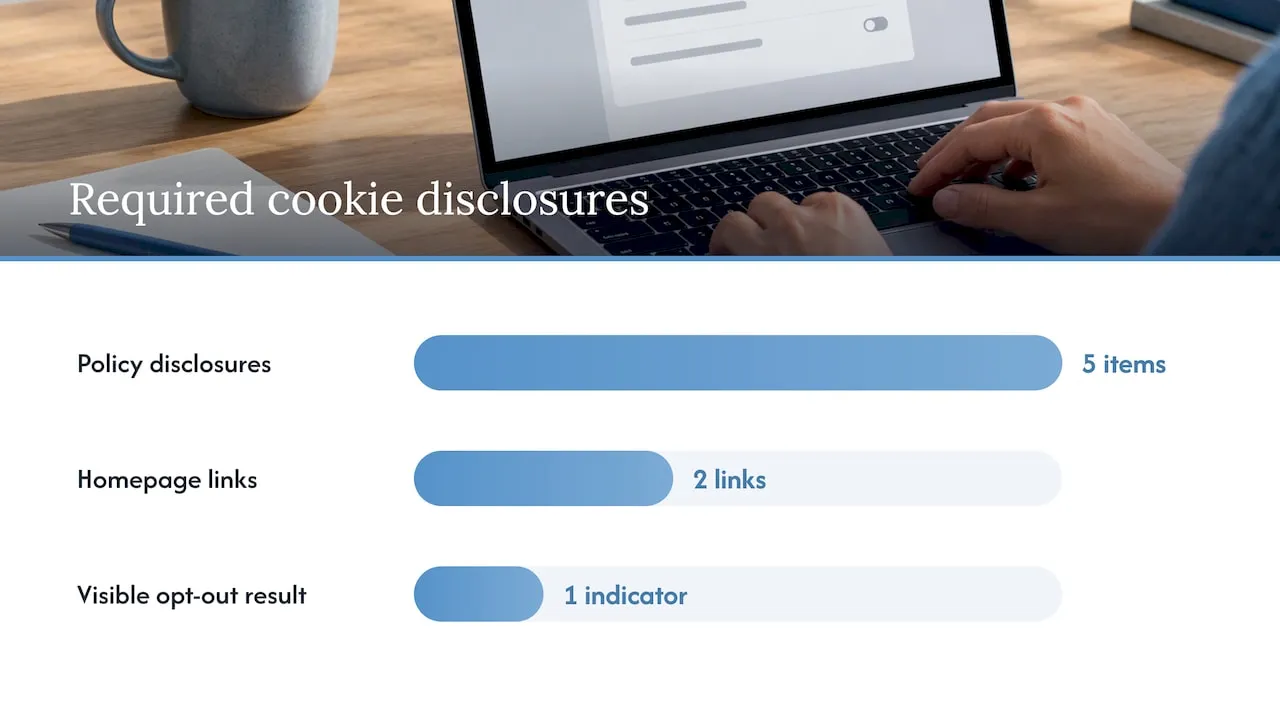
Your privacy policy is the backbone of CCPA cookie compliance, and it needs several specific elements rather than a general statement that “we use cookies.” Build the policy around these requirements:
- List the categories of personal information collected through cookies, matching the statutory categories (identifiers, internet activity, geolocation, and so on) rather than vague descriptions.
- State the business or commercial purpose for each category, such as analytics, advertising, or fraud prevention.
- Name the categories of third parties that receive cookie data, and specify whether that transfer constitutes a sale or a share under CCPA’s definitions.
- Describe consumer rights, including the right to opt out, the right to know, the right to delete, and the right to correct.
- Explain how to exercise those rights, with a method that does not require creating an account.
Beyond the policy itself, your homepage needs two links, and their exact titles matter for professional-services websites that implement conspicuous opt-out links. “Do Not Sell or Share My Personal Information” must appear in a conspicuous location, typically the footer, and it must lead to a page where a visitor can opt out without being forced to call a phone number or create a login. If you process sensitive personal information, such as precise geolocation or certain demographic categories, you also need a “Limit the Use of My Sensitive Personal Information” link, unless your use of that data falls under a statutory exception.
A cookie consent banner is optional under CCPA. Nothing in the statute or the Revised CCPA regulations mandates a pop-up banner the way GDPR effectively does for EU traffic, and an analysis comparing the two frameworks notes that treating CCPA like GDPR creates unnecessary friction and compliance gaps, since California’s law is built around transparency and opt-out rather than prior consent. A banner can still help you surface the required links and demonstrate good faith, but the links and disclosures are mandatory regardless of whether a banner exists.
Whatever mechanism you use, the opt-out has to produce a visible result. Once a visitor opts out, the interface should reflect that choice: a toggle that shows “off,” a confirmation message, or a persistent indicator that the preference is active. Silent opt-outs that give no feedback leave you unable to prove compliance and leave the visitor unsure whether the request worked.
How to honor Global Privacy Control without creating friction
Global Privacy Control is a browser-level signal that communicates a consumer’s opt-out preference automatically, and the Revised CCPA regulations treat a GPC signal as a valid opt-out request that businesses must honor the same as a manual click on a Do Not Sell link. If your site detects GPC and does not stop the relevant data sales or sharing, you are out of compliance regardless of what your privacy policy says.
Symmetry in choice is the regulatory principle that governs how your opt-out flow has to look next to your opt-in flow. If accepting all cookies takes one click, declining has to take one click too. Patterns that bury the reject option behind a secondary menu, use contrasting button colors to steer attention toward “Accept,” or require a visitor to click through multiple screens to decline are treated as dark patterns:
- Avoid pre-checked boxes for anything other than strictly necessary categories.
- Avoid asymmetric button design where “Accept All” is a solid button and “Reject All” is a faint text link.
- Avoid forcing extra steps, such as a “manage preferences” detour, before a visitor can decline everything.
- Never treat closing the banner as consent; regulatory summaries of the Revised CCPA regulations are explicit that dismissing a pop-up without an affirmative click does not constitute agreement.
On the technical side, a consent management platform that only displays a banner is not enough. The opt-out signal needs to propagate to every downstream vendor, meaning your tag manager has to block advertising and analytics tags until a preference is recorded, and it has to fire an opt-out event to each third-party endpoint once a visitor declines. A CMP that shows “declined” in its own dashboard while ad pixels keep firing in the background creates the exact enforcement exposure you are trying to avoid.
Recordkeeping closes the loop. Store a timestamp, the mechanism used (GPC signal, banner click, or preference center toggle), and the specific categories affected, and retain that record long enough to demonstrate a pattern of compliance if a regulator asks.
Pro Tip: Run a GPC signal through your site in an incognito browser every quarter and confirm, with your browser’s network inspector, that advertising tags actually stop firing within seconds of the signal being detected.
Minors, sensitive data, and what CPRA changed
CPRA layered additional protections on top of the original CCPA framework, and two of them affect cookie practices directly: sensitive personal information and minors’ data.
Sensitive personal information includes categories like precise geolocation, racial or ethnic origin, health data, and certain biometric identifiers. When cookies or tracking pixels collect this data for purposes beyond what is reasonably necessary to deliver the service, consumers get the right to limit that use, and your site needs a dedicated “Limit the Use of My Sensitive Personal Information” link separate from the general Do Not Sell or Share link. Bundling the two together under one generic “manage preferences” button makes it harder for a visitor to understand that sensitive data has its own, narrower opt-out.
Minors’ thresholds are stricter and age-gated:
- Consumers aged 13 to 15 must opt in before any sale or sharing of their personal information occurs, reversing the default opt-out model that applies to adults.
- Children under 13 require verifiable parental or guardian consent before any sale or sharing, with no exception for implied consent.
- Businesses that have actual knowledge a visitor falls into either age bracket carry the opt-in obligation, so age-verification signals matter even if you do not operate a service explicitly aimed at minors.
- Design separate consent flows for any portion of your site or app that collects age data, so the cookie logic can branch correctly before any advertising tag fires.
Opt-out preferences are not permanent on your end. If a consumer opts back in after previously opting out, you generally cannot ask them to reconfirm that choice for at least 12 months, which means your preference center needs to track the date of each election and suppress re-prompting within that window.
Building the compliance stack: inventory to audit log
A working CCPA cookie program comes together in a specific sequence, and skipping steps is where most sites end up with a banner that looks compliant but fails under inspection.
- Run an automated cookie scan across your full site, including subdomains, and classify every cookie as essential, analytics, or advertising based on its actual function, not its vendor’s marketing label.
- Map each third-party vendor receiving cookie data and determine, from the vendor’s contract and data flow, whether the relationship constitutes a sale, a share, or neither.
- Select a consent management platform or native preference center that supports GPC detection, blocks non-essential tags by default until a preference is recorded, and pushes opt-out events to every connected vendor automatically.
- Update your privacy policy with the categories, purposes, and third-party disclosures the scan and vendor map surfaced.
- Add the required homepage links in a conspicuous, consistent location, typically the footer, and confirm the linked pages function without requiring account creation.
- Build a confirmation UI that shows visitors their opt-out was received, whether through a toggle state, a banner message, or a dedicated preferences page.
- Test across a browser and device matrix, including GPC-enabled browsers, mobile Safari, and private browsing modes, to confirm tags actually stop firing after opt-out.
- Set audit log retention so every consent and opt-out event, along with its timestamp and mechanism, is stored and retrievable.
One recurring finding from comparisons of consent frameworks is that businesses applying GDPR-style opt-in logic to a CCPA-only audience create compliance gaps rather than closing them, because the two laws measure compliance differently: GDPR checks whether consent was obtained before processing, while CCPA checks whether disclosure was clear and the opt-out actually worked.
Acceptance criteria for your QA team should include: no advertising tag fires before a preference is recorded, a GPC signal received on page load suppresses the same tags a manual opt-out would, and the confirmation UI persists across page reloads within the same session. Treat the preference center as a piece of production infrastructure with its own test suite, not a one-time banner install.
Where enforcement risk actually comes from
Recent litigation involving session replay tools and pre-consent tracking pixels shows a consistent pattern: the cookies themselves were not the problem, the gap between what the privacy policy promised and what the tags actually did was. A site that states it does not sell data while an embedded pixel transmits browsing history to an ad network for retargeting creates exactly the kind of discrepancy that invites a claim.
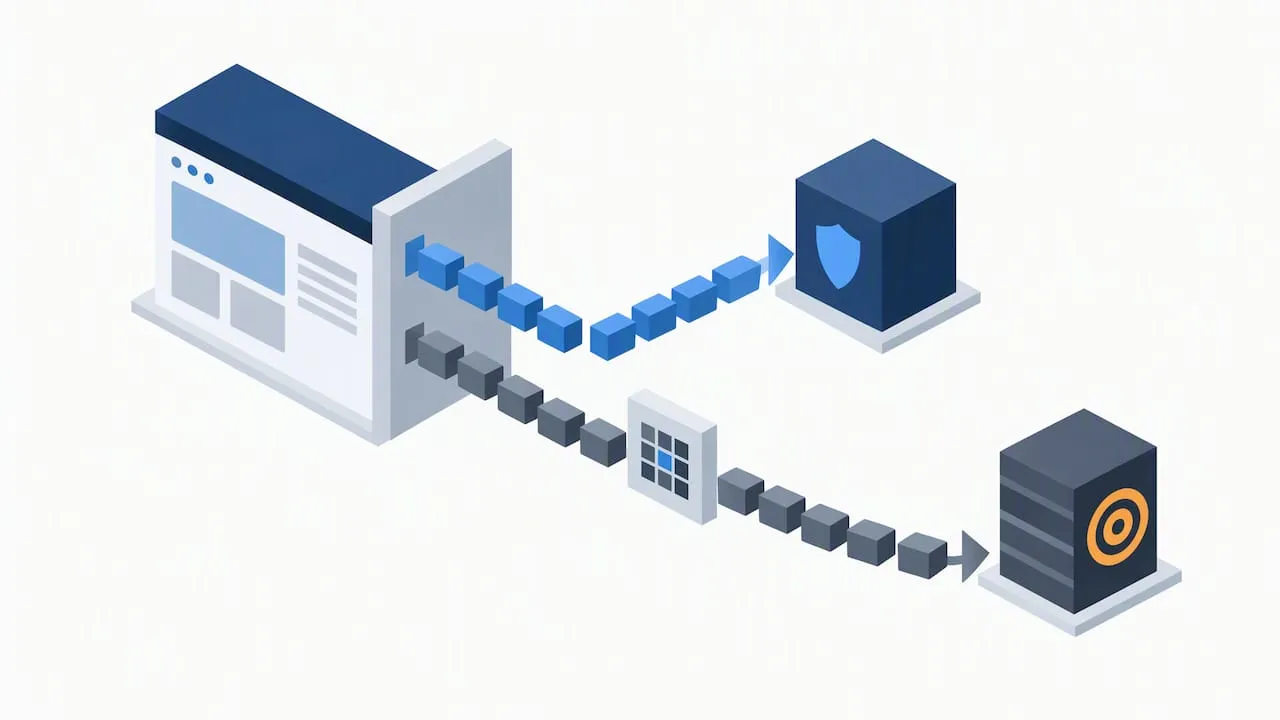
Regulatory guidance keeps returning to the same three expectations: recognize GPC signals without requiring additional steps from the visitor, avoid interface patterns that make declining harder than accepting, and process opt-out requests promptly rather than on a delayed batch cycle. Falling short on any of the three is treated as a compliance failure even if the privacy policy text is technically accurate.
The operational mistakes that show up most often:
- Incomplete vendor mapping, where a new ad-tech or analytics tool gets added without anyone updating the sale and sharing disclosures.
- Opt-out requests that stop at the CMP but never propagate to the actual third-party endpoints still collecting data.
- Thin or missing audit trails, leaving no record of when a consumer opted out or whether the request was honored.
- Do Not Sell links buried in a privacy policy wall of text instead of placed conspicuously on the homepage.
Mitigating this risk is less about legal language and more about operational discipline: vendor contracts that specify data use and sale status, documented standard operating procedures for adding or removing tracking tools, and periodic audits that re-run the cookie scan against the current state of the privacy policy rather than assuming the two stayed in sync.
How we approach compliant cookie systems for client sites
When we build or rebuild a client’s cookie and consent infrastructure, we follow a fixed sequence rather than dropping a generic banner script into the page. Discovery comes first: a full cookie and tag audit across the live site, followed by classification of each vendor relationship against CCPA’s sale and sharing definitions. From there we build a preference center integrated directly into the site’s codebase, paired with tag orchestration so that advertising and analytics scripts stay blocked until a visitor’s choice is recorded, not just displayed.
Because much of our work involves enterprise-grade CRM and lifecycle marketing systems, built on platforms like Salesforce Marketing Cloud and Braze, we pay particular attention to making sure an opt-out recorded on the website actually reaches the CRM and suppresses that contact from downstream marketing sends, not just from browser-based ad pixels. A preference center that blocks a cookie but leaves a CRM workflow emailing the same person is not a compliant system, it is a partial one.
Key parts of our process:
- Discovery and classification of every cookie and third-party script before any code changes ship.
- Preference center and tag orchestration build, coded to the client’s actual stack rather than a one-size template.
- Cross-system testing that confirms CRM, analytics, and advertising platforms all honor the same opt-out event.
- Monitoring after launch, since vendor scripts and ad pixels change without warning and compliance is not a one-time project.
Pro Tip: Loop in legal, marketing, and engineering on the same kickoff call before building a preference center. Engineering needs to know which vendors legal has flagged as sales, and marketing needs to know which segments just became opt-out before the next campaign goes out.
Strict consent-first versus proportionate CCPA compliance
A GDPR-style opt-in model is not required under CCPA, and building one anyway is sometimes the right call, sometimes an expensive overcorrection. It makes sense when your audience spans both the EU and California, when your sales rely heavily on third-party ad networks with unclear data practices, or when your legal team wants a wide margin of safety ahead of future amendments. It is disproportionate for a straightforward service business whose only meaningful cookie activity is analytics and a single retargeting pixel.
The real trade-off is conversion against risk tolerance, not compliance against noncompliance. An opt-in banner in front of every California visitor will suppress some share of marketing attribution and lead capture that an opt-out model would have preserved, and that cost is measurable in a way regulatory risk often is not.
My own view: start with transparency and symmetry, not with the most restrictive model available. Get your disclosures accurate, your opt-out links conspicuous, and your GPC handling verified before layering on consent requirements the statute does not ask for. Auditability matters more than how much data you manage to collect under an ambiguous banner. A thin, honest compliance posture that you can document beats a heavy one you cannot prove.
- Jeremy
Getting your cookie compliance built right the first time
We build custom preference centers and tag orchestration directly into client codebases rather than bolting a third-party widget onto a template site, which means your opt-out logic lives inside the same custom-coded infrastructure as the rest of your site, not in a separate plugin that falls out of sync with it.

A typical compliance engagement with us starts with an audit of your current cookies, vendor relationships, and privacy policy language, moves into a build phase for the preference center and tag blocking logic, and ends with a handoff that includes documentation your legal team can actually use, plus ongoing monitoring so new vendor scripts do not quietly reopen a compliance gap.
What this looks like in practice:
- Audit, mapping every cookie and vendor against CCPA’s sale and sharing definitions.
- Build, a preference center coded into your site with GPC detection and tag blocking by default.
- Handoff, documentation and audit log retention your compliance officer can hand to counsel.
- Monitoring, through our Webmaster and Performance Plus maintenance plans, so new tracking scripts get flagged before they become a liability.
If your site needs a preference center built into custom-coded infrastructure rather than stitched on top of a template, reach out about a web design and development engagement and we will scope the audit first.
FAQ
Does CCPA require cookie consent?
CCPA does not generally require opt-in consent before placing cookies on an adult visitor’s browser. It requires clear disclosure of what cookies collect, a working Do Not Sell or Share link, and recognition of Global Privacy Control signals, which functions as an opt-out model rather than an opt-in one.
Does the United States require cookie consent nationwide?
There is no single federal law requiring cookie consent across the United States, so requirements vary by state. California’s CCPA sets opt-out and disclosure obligations, while other states with their own privacy laws impose similar but not identical rules, so a business serving multiple states needs to check each applicable statute.
Is CCPA applicable to businesses across the United States?
CCPA applies to a business if it meets one of three thresholds: annual gross revenue above California’s statutory threshold, handling personal information for a high number of California consumers or households, or deriving a significant portion of revenue from selling or sharing personal information. A business located outside California can still fall under the law if it meets one of these thresholds and processes data belonging to California residents.
Do cookies require consent under CCPA?
Cookies that qualify as essential or functional generally do not require consent or an opt-out mechanism. Cookies used for advertising or cross-context behavioral tracking typically count as a sale or share of personal information, which triggers the requirement for a Do Not Sell or Share link and GPC recognition rather than upfront consent.
What is the difference between selling and sharing data through cookies?
Selling refers to exchanging personal information for monetary or other valuable consideration, while sharing, a category CPRA added, covers disclosing personal information to a third party for cross-context behavioral advertising even without a monetary exchange. Both trigger the same opt-out obligation, so a cookie does not need to involve a direct payment to require a Do Not Sell or Share link.